Inkfray
Stickman battlefield brawl
63 arenas, 17 weapons, 6 CPU levels, 7 outfits in 10 colors. Weapons rain from the sky; the last stickman standing wins. No ads, no purchases, no internet needed.
iPhone · iPad · Mac
Download on the App Store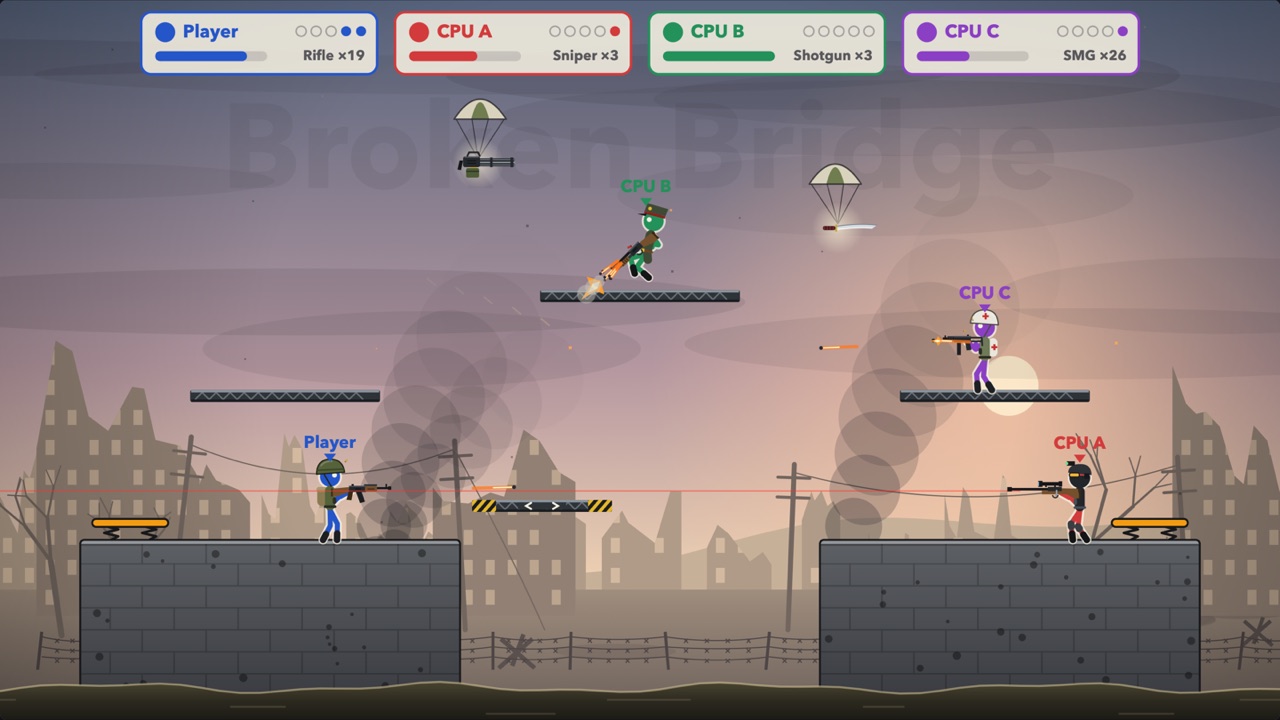
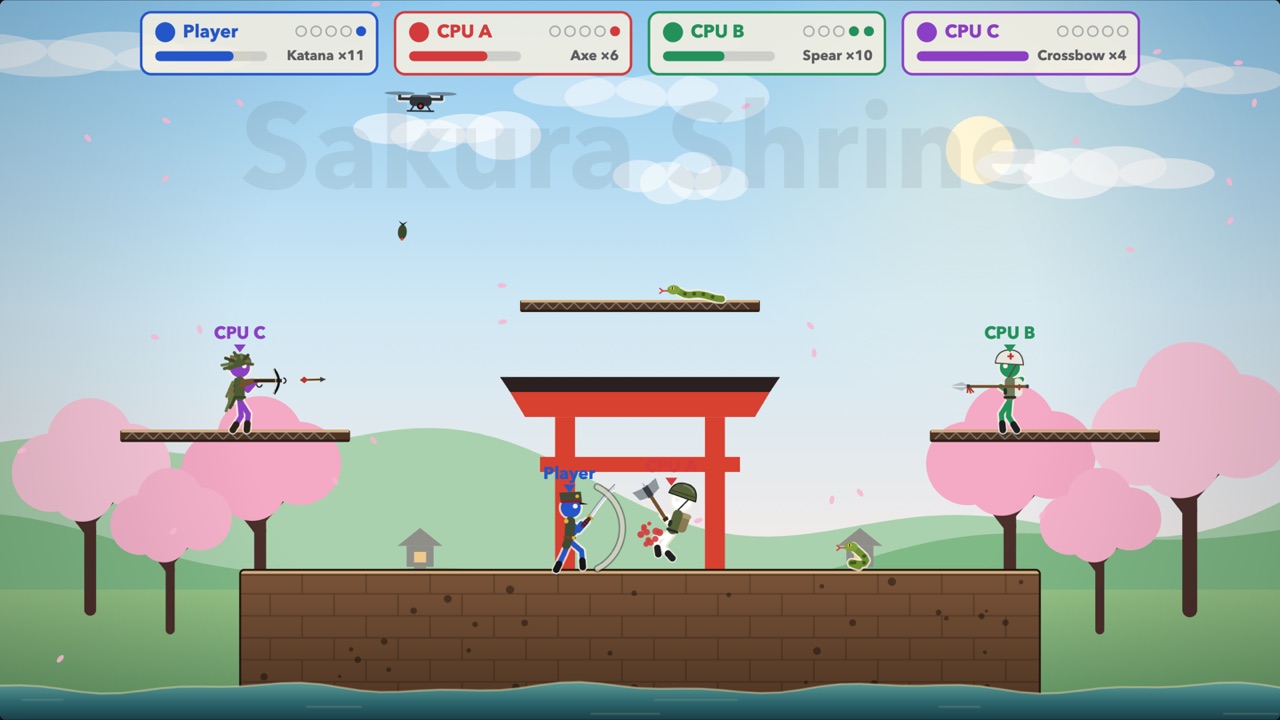
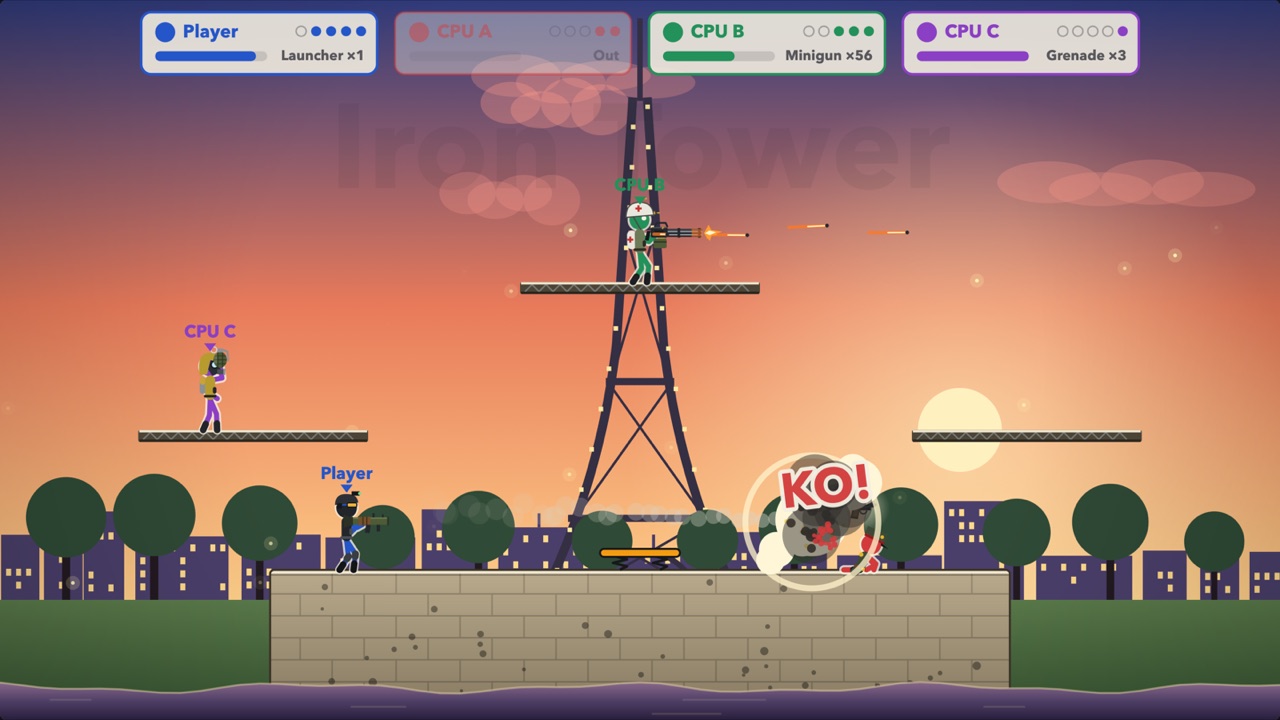
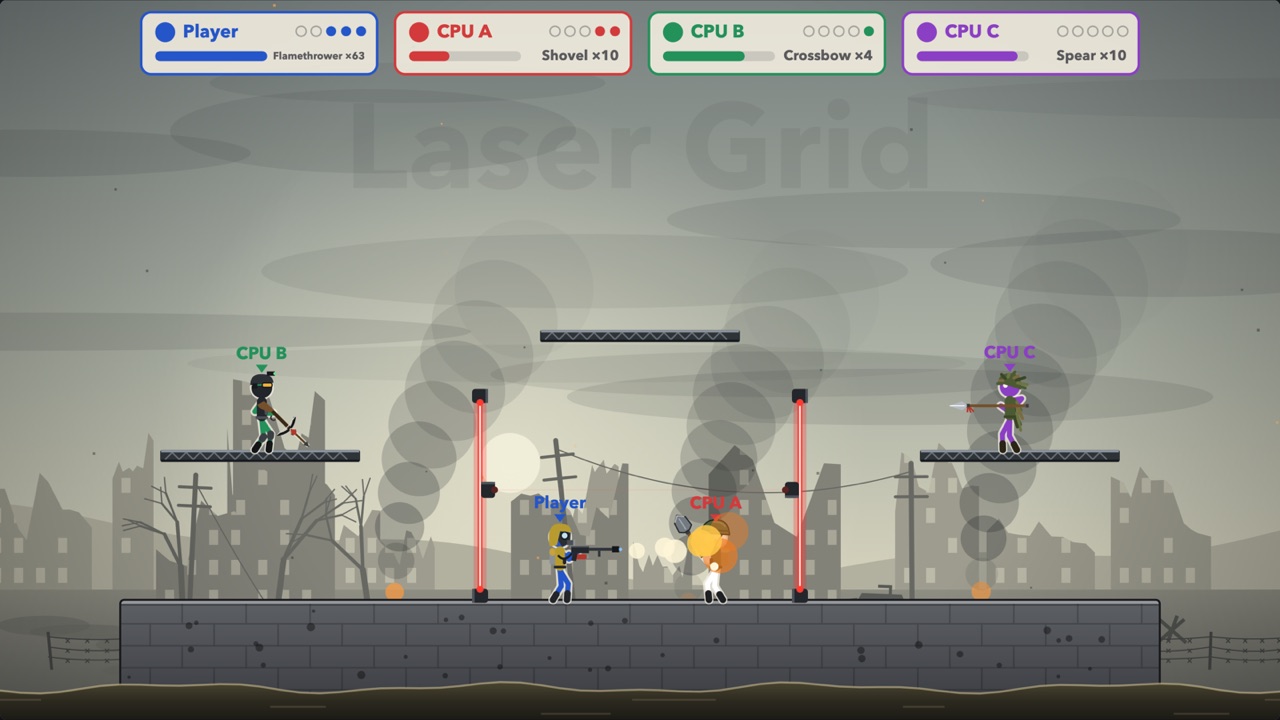
Inkfray is a fast, physics-driven stickman brawler. Up to four fighters drop into a small arena, weapons parachute in from the sky, and the last one standing takes the round. The lower your health, the farther every hit sends you flying.
63 ARENAS
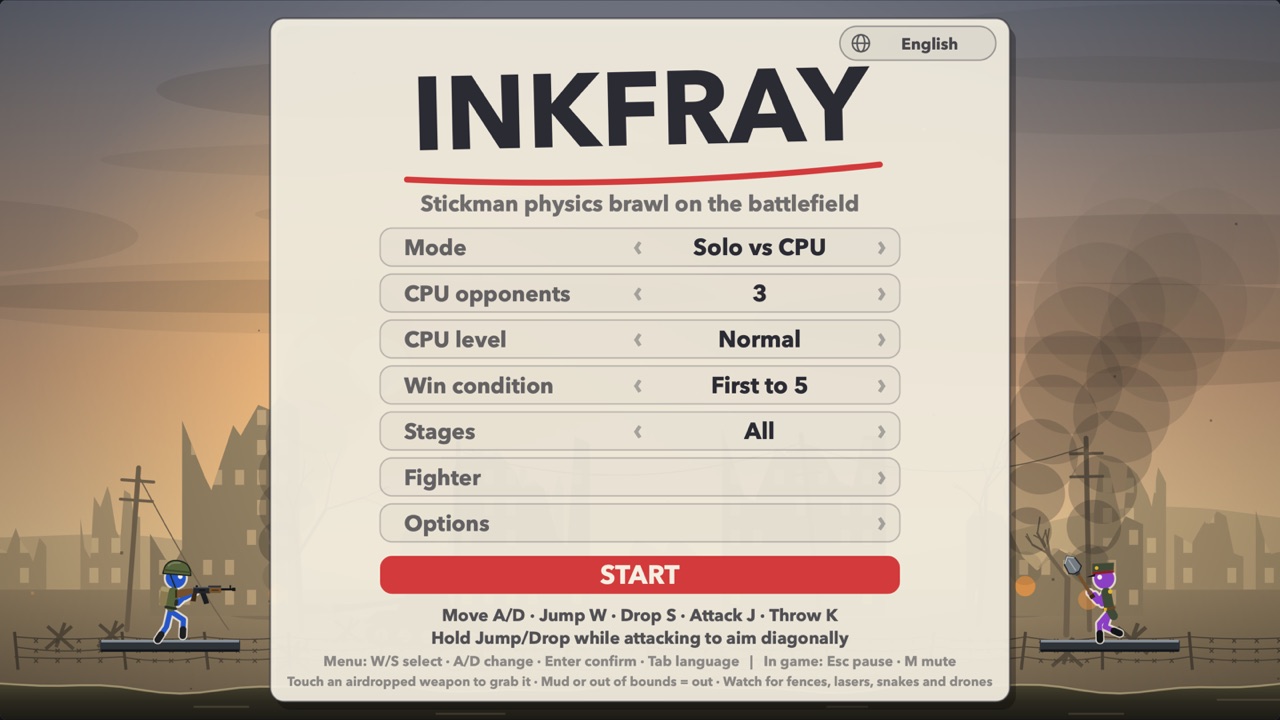
Thirteen battlefield stages plus fifty scenic arenas inspired by Japan, Korea, Germany, France and Britain: a sakura shrine, a neon alley, a fairy-tale castle, Paris rooftops, a rainy lane under gas lamps and many more. Play one set or shuffle them all.
17 WEAPONS
Pistol, shotgun, assault rifle, SMG, sniper rifle, light machine gun, minigun, rocket launcher, crossbow, flamethrower, grenades, land mines, katana, spear, battle axe, combat knife and a trusty shovel. Grab them as they float down, or throw your empty gun at someone’s head.
ARENAS THAT FIGHT BACK
Moving platforms, crumbling planks, springboards, spikes, electric fences and laser grids. Snakes drop in to bite, and now and then a bomber drone pays a visit.
6 CPU LEVELS
From Rookie to Elite. Take on one to three computer opponents and find the level that makes you sweat.
MAKE IT YOURS
Seven outfits (infantry, commando, sharpshooter, officer, medic, hazmat and the classic stickman) in ten colors.
PLAY YOUR WAY
First to 3, 5 or 7 rounds, or an endless match that runs for as long as you like. On Mac, two players can share one keyboard, and every key can be remapped.
MUSIC AND SOUND
A driving battle soundtrack and punchy effects, each with its own switch.
CLEAN
No ads. No in-app purchases. No internet connection needed. No data collected. Your settings stay on your device.
CONTROLS
iPhone and iPad: drag the stick on the left to move and aim; the buttons on the right jump, attack and throw.
Mac: A/D to move, W to jump, S to drop through platforms, J to attack, K to throw. Every key can be changed under Options > Controls.
Inkfray
棒人間の戦場ドタバタ乱闘
63 ステージ、武器 17 種、CPU 6 段階、スキン 7 種 × カラー 10 色。空から武器が降ってきて、最後まで立っていた棒人間の勝ち。広告なし・課金なし・オフラインOK。
iPhone · iPad · Mac
App Store でダウンロード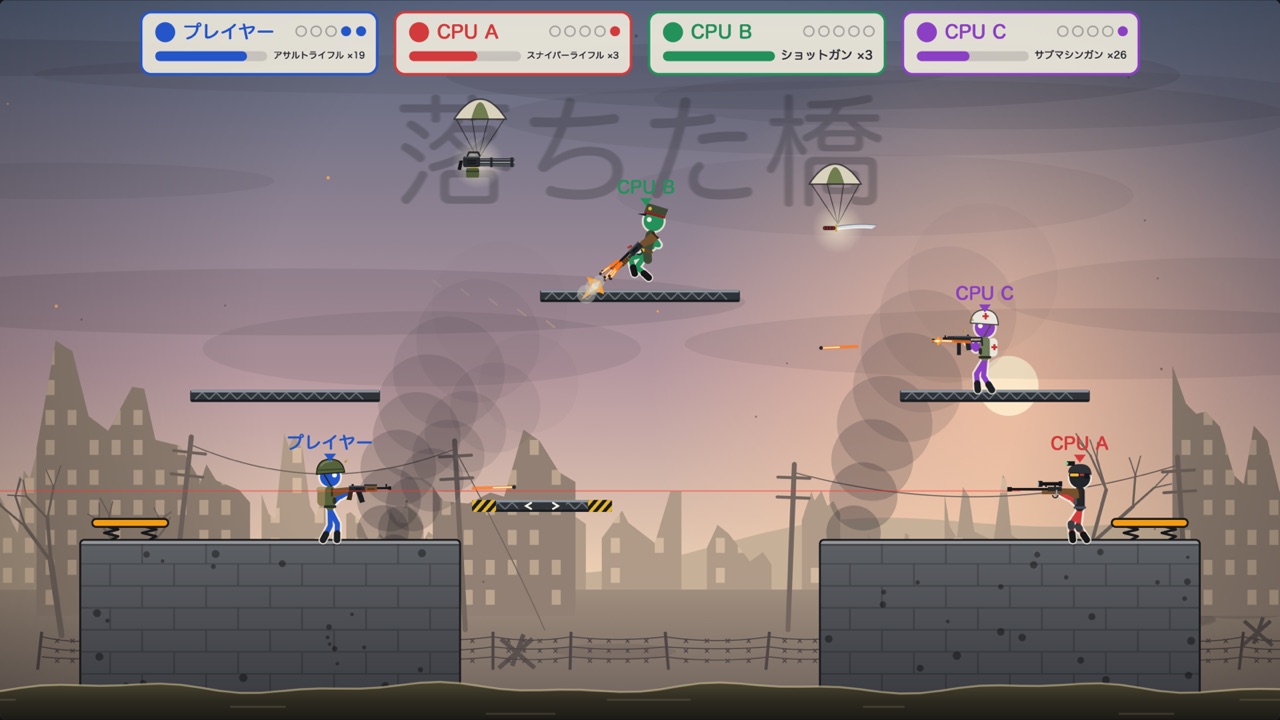
『Inkfray』は物理演算で動く、テンポの速い棒人間の乱闘ゲームです。最大 4 人が小さなステージに降り立ち、空からはパラシュートで武器が降ってきます。最後まで立っていた 1 人がラウンドを取ります。体力が減るほど、一発で大きく吹き飛ばされます。
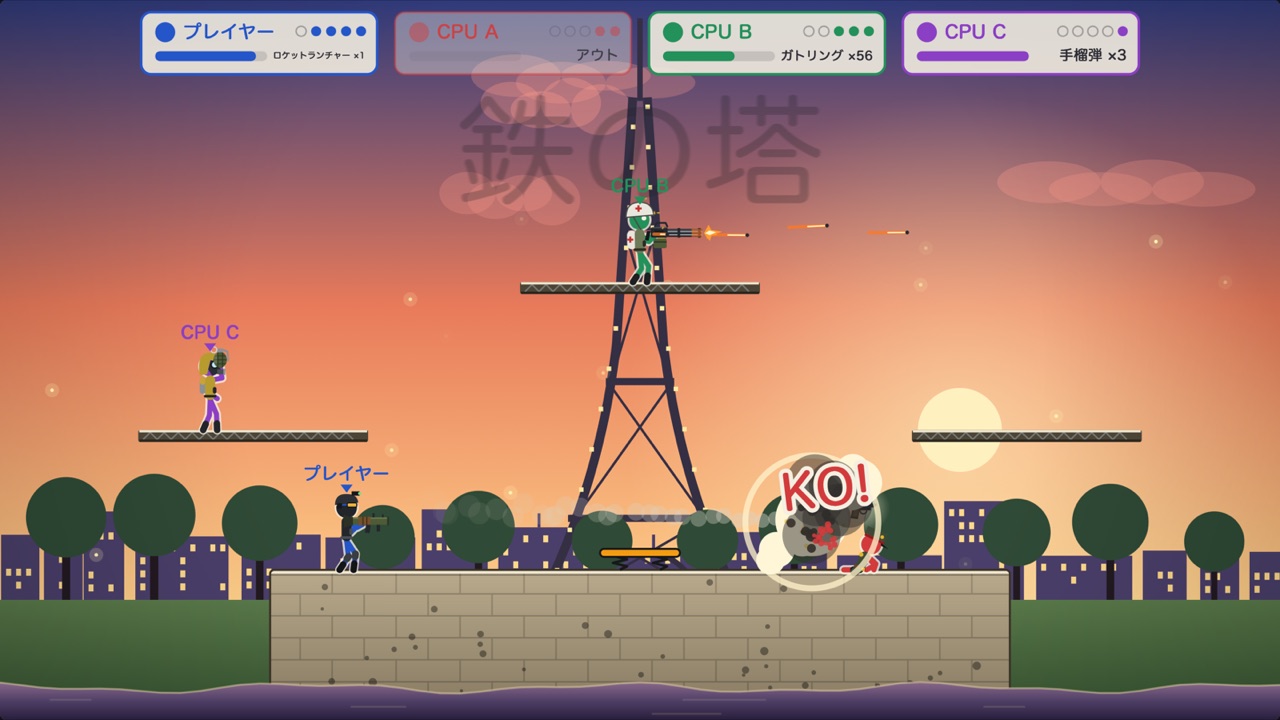
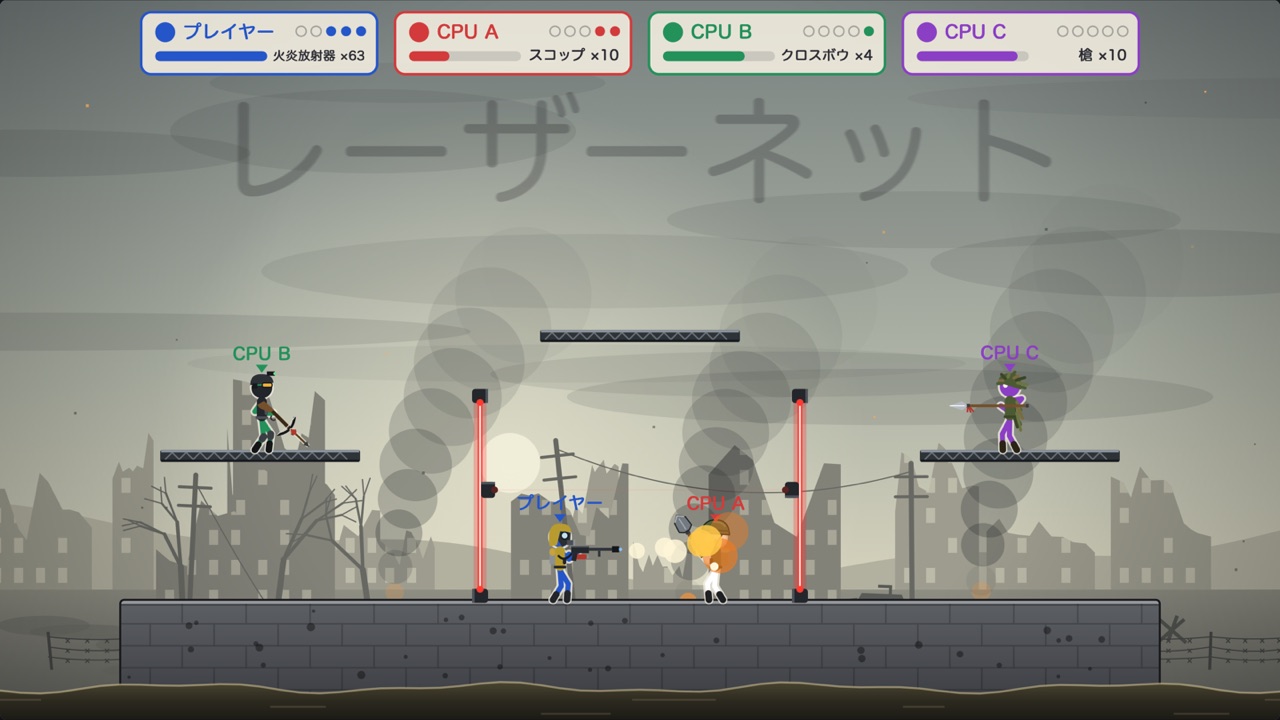
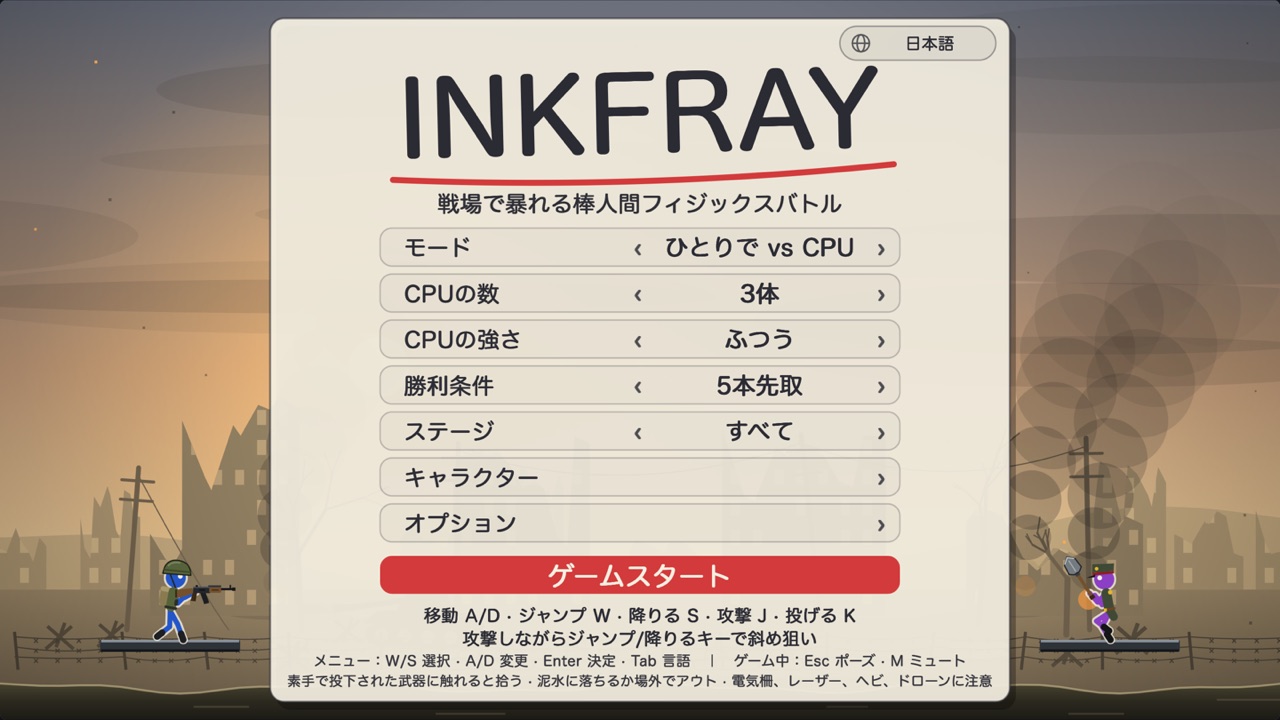
63 のステージ
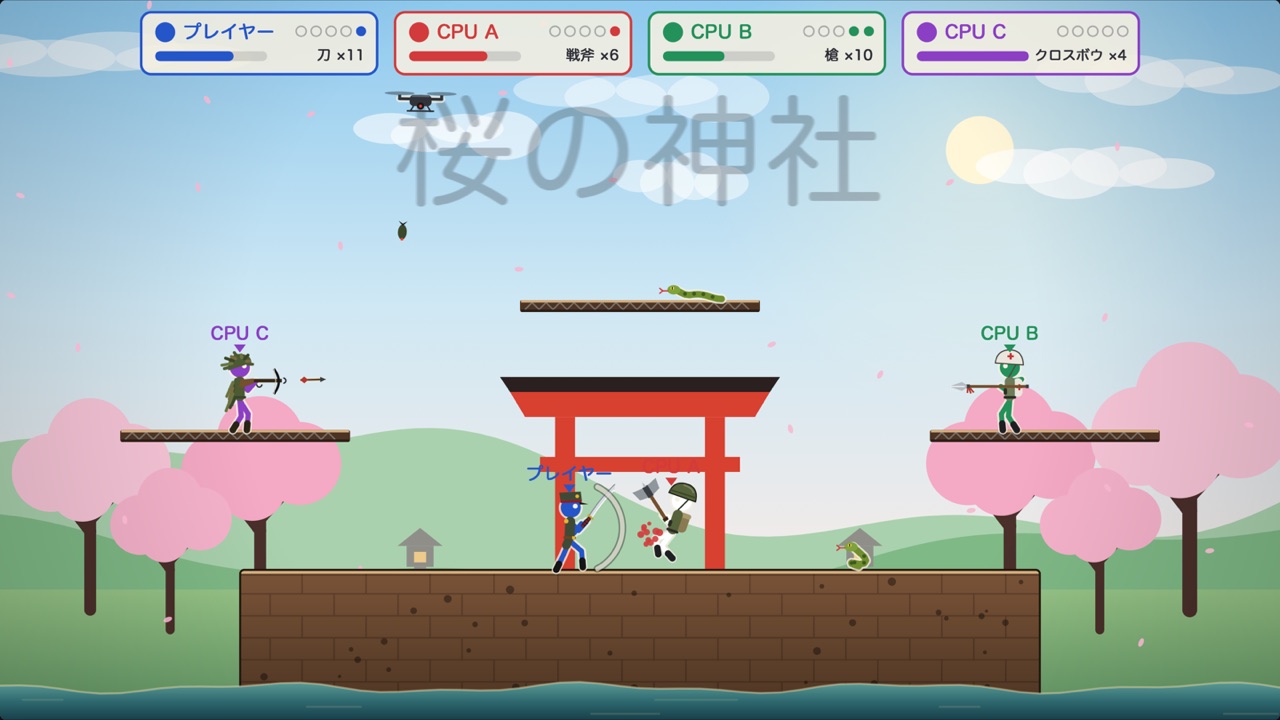
戦場ステージ 13 面に加えて、日本・韓国・ドイツ・フランス・イギリスをイメージした景色のステージが 50 面。桜の神社、ネオン横丁、おとぎの城、パリの屋根、ガス灯の雨の路地など。好きなセットだけでも、全部シャッフルでも遊べます。
17 種類の武器
ピストル、ショットガン、アサルトライフル、サブマシンガン、スナイパーライフル、軽機関銃、ガトリング、ロケットランチャー、クロスボウ、火炎放射器、手榴弾、地雷、刀、槍、戦斧、ナイフ、そして頼れるスコップ。降ってきたらすぐ拾い、弾切れの銃は相手の頭に投げつけましょう。
牙をむくステージ
動く足場、崩れる板、スプリング、スパイク、電気柵、レーザーネット。ヘビが落ちてきて噛みつき、ときどき爆撃ドローンもやって来ます。
CPU は 6 段階
「ひよっこ」から「エリート」まで。1〜3 体の CPU と戦い、ちょうど手に汗握る強さを見つけてください。
自分好みに
スキンは 7 種類(歩兵、特殊部隊、スナイパー、指揮官、衛生兵、防護兵、クラシックな棒人間)、カラーは 10 色。
遊び方いろいろ
3 本・5 本・7 本先取、または好きなだけ続けられるエンドレス。Mac では 2 人で 1 つのキーボードを使って対戦でき、キーはすべて変更できます。
音楽と効果音
疾走感のあるバトル曲と、手応えのある効果音。それぞれオン・オフを切り替えられます。
すっきり安心
広告なし、アプリ内課金なし、ネット接続不要、データ収集なし。設定は端末内にのみ保存されます。
操作
iPhone / iPad:左のスティックをドラッグして移動と狙い、右のボタンでジャンプ・攻撃・投げる。
Mac:A/D で移動、W でジャンプ、S で足場を降りる、J で攻撃、K で投げる。キーは「オプション」→「キー設定」ですべて変更できます。
잉크프레이
스틱맨 전장 물리 난투
스테이지 63개, 무기 17종, CPU 6단계, 스킨 7종 × 색상 10가지. 하늘에서 무기가 떨어지고, 마지막까지 서 있는 스틱맨이 이깁니다. 광고 없음, 인앱 결제 없음, 오프라인 플레이.
iPhone · iPad · Mac
App Store에서 다운로드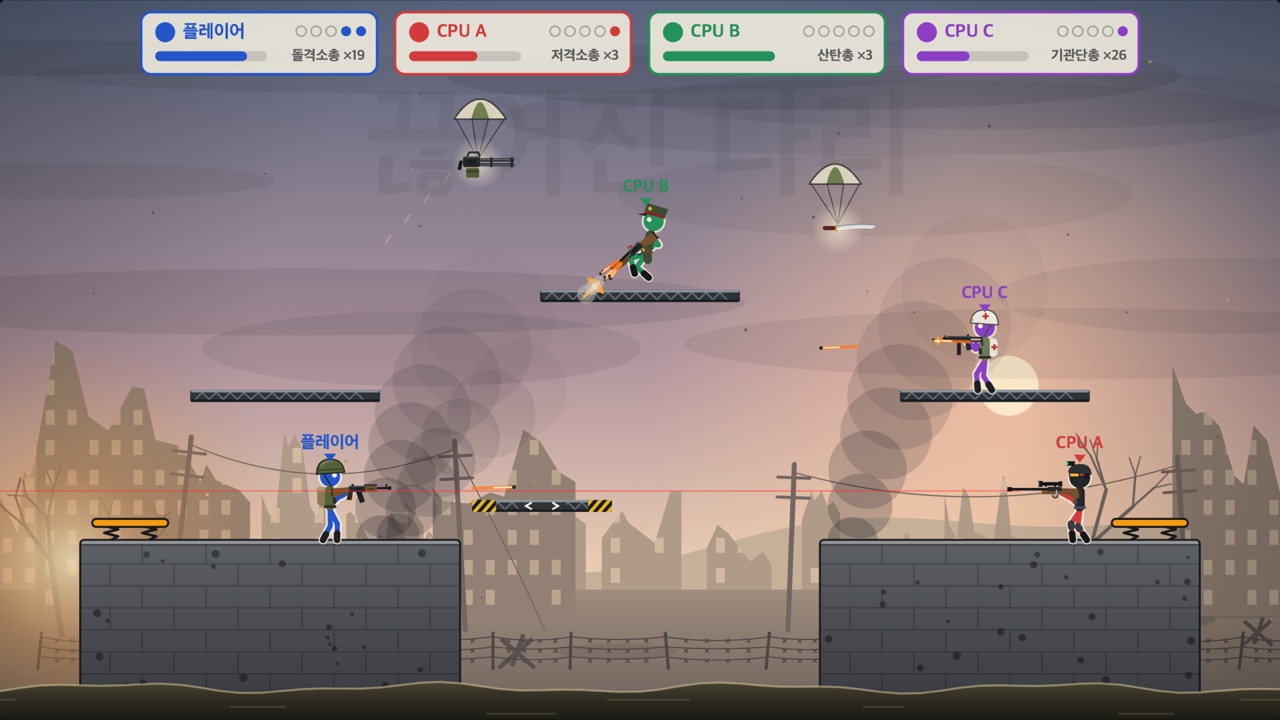
『잉크프레이』는 물리 엔진으로 움직이는 빠른 템포의 스틱맨 난투 게임입니다. 최대 4명이 작은 스테이지에 내려서고, 하늘에서는 낙하산을 탄 무기가 떨어집니다. 마지막까지 서 있는 한 명이 라운드를 가져갑니다. 체력이 낮을수록 한 방에 더 멀리 날아갑니다.
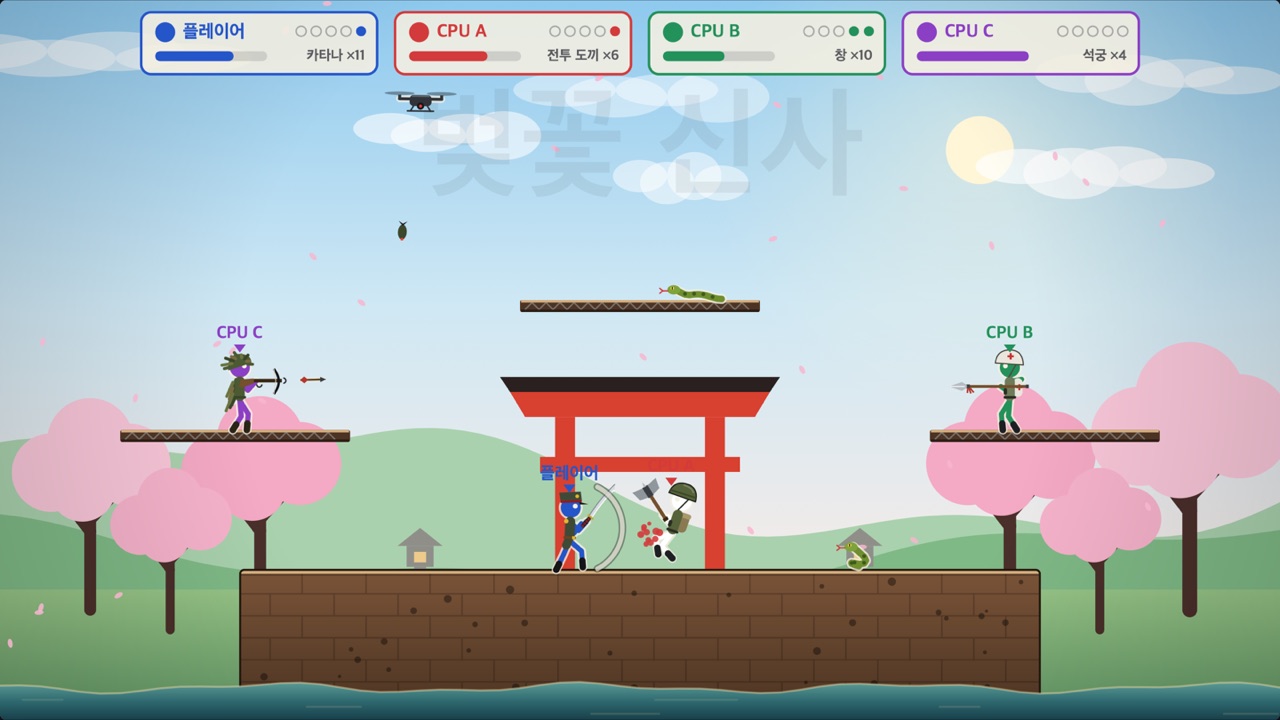
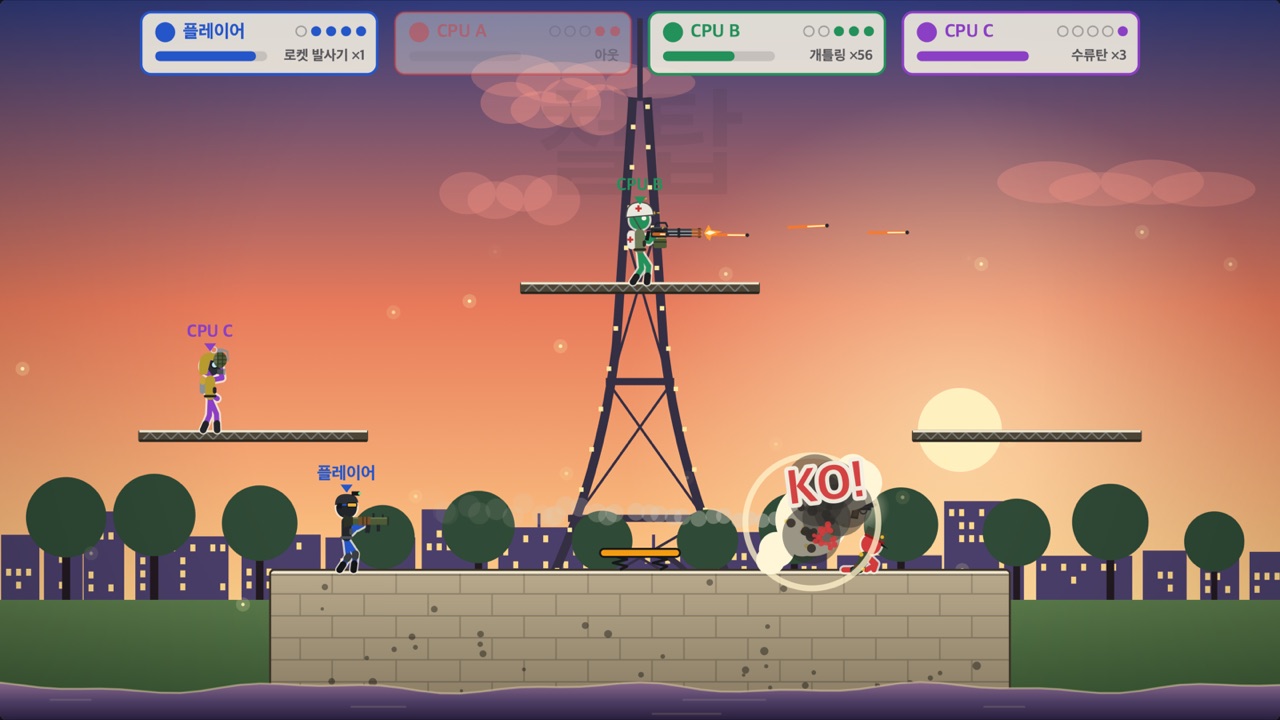
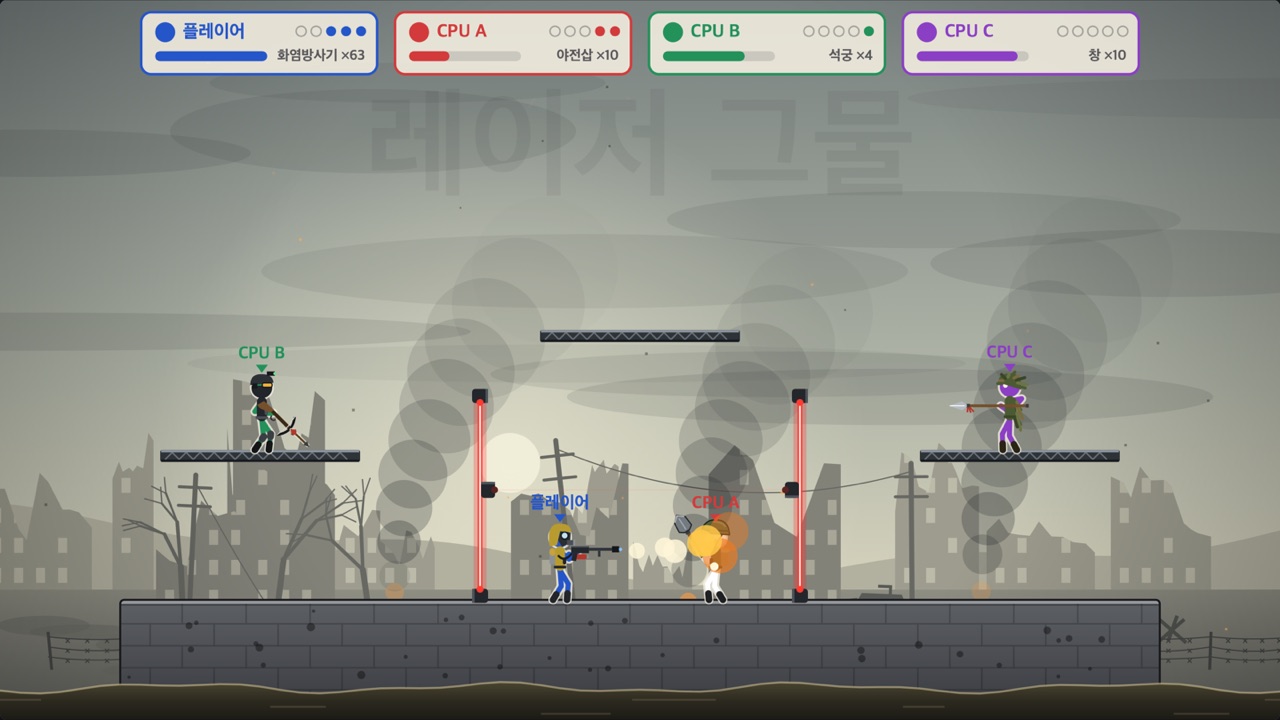
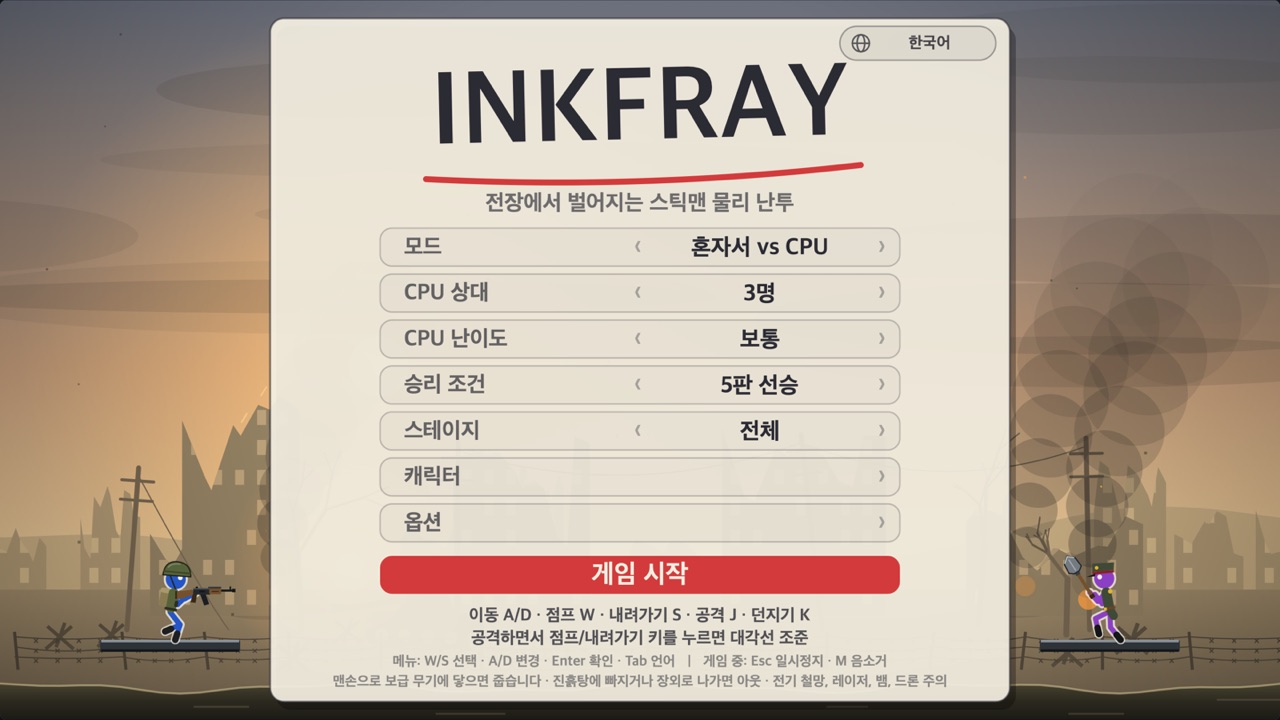
63개의 스테이지
전장 스테이지 13개에 더해, 일본·한국·독일·프랑스·영국에서 영감을 받은 풍경 스테이지 50개. 벚꽃 신사, 네온 골목, 동화 속 성, 파리의 지붕, 가스등 켜진 비 오는 골목 등. 한 세트만 골라도, 전부 섞어도 됩니다.
17종의 무기
권총, 산탄총, 돌격소총, 기관단총, 저격소총, 경기관총, 개틀링, 로켓 발사기, 석궁, 화염방사기, 수류탄, 지뢰, 카타나, 창, 전투 도끼, 나이프, 그리고 든든한 야전삽. 떨어지는 대로 주워 쓰고, 총알이 떨어진 총은 상대 머리에 던지세요.
가만있지 않는 스테이지
움직이는 발판, 무너지는 널빤지, 스프링, 가시, 전기 철망, 레이저 그물. 뱀이 떨어져 물고, 가끔은 폭격 드론도 찾아옵니다.
CPU 6단계
「신병」부터 「엘리트」까지. CPU 1~3명과 싸우며 손에 땀을 쥐게 하는 난이도를 찾아보세요.
내 스타일대로
스킨 7종(보병, 특수부대, 저격수, 지휘관, 의무병, 화생방병, 클래식 스틱맨)에 색상 10가지.
원하는 방식으로
3판·5판·7판 선승, 또는 원하는 만큼 이어지는 무한 대전. Mac에서는 두 명이 키보드 하나로 대전할 수 있고, 모든 키를 바꿀 수 있습니다.
음악과 효과음
질주하는 전투 음악과 타격감 있는 효과음. 각각 켜고 끌 수 있습니다.
깔끔합니다
광고 없음, 인앱 결제 없음, 인터넷 연결 불필요, 데이터 수집 없음. 설정은 기기에만 저장됩니다.
조작
iPhone / iPad: 왼쪽 스틱을 드래그해 이동과 조준, 오른쪽 버튼으로 점프·공격·던지기.
Mac: A/D로 이동, W로 점프, S로 발판 내려가기, J로 공격, K로 던지기. 「옵션」→「키 설정」에서 모든 키를 바꿀 수 있습니다.
墨水亂鬥
火柴人戰場物理大亂鬥
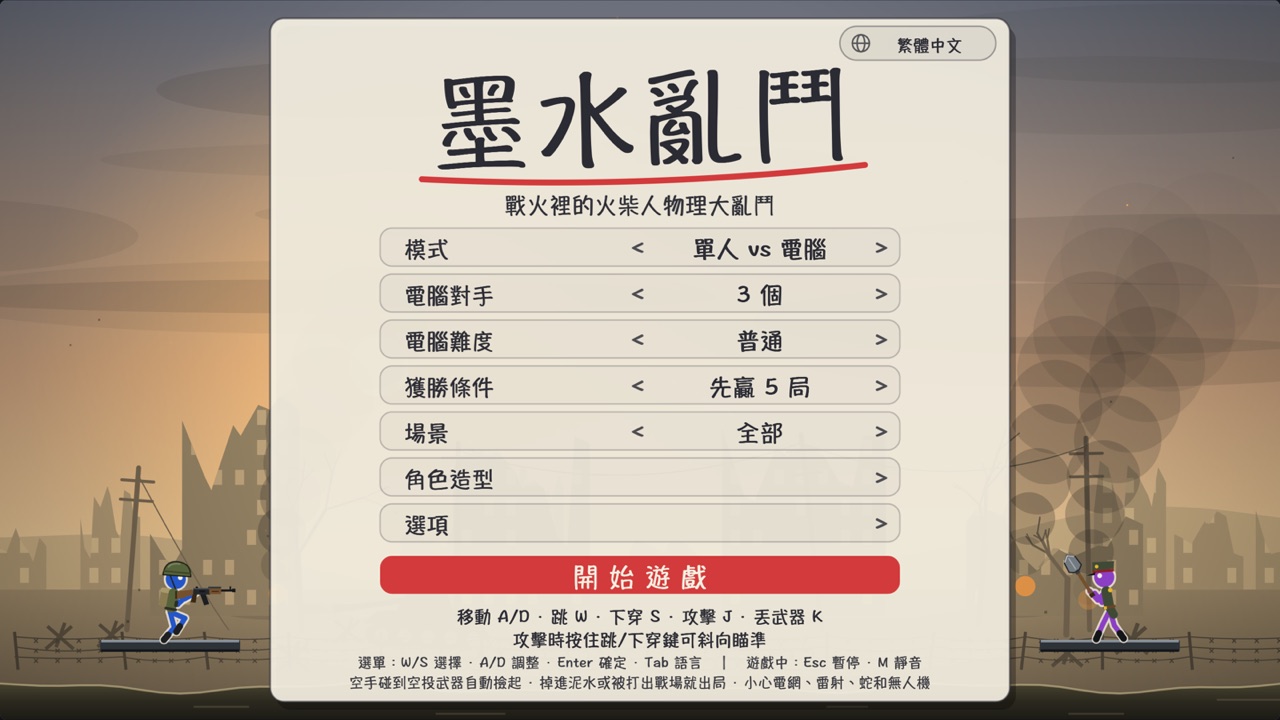
63 個場景、17 種武器、6 級電腦難度、7 套造型配 10 種顏色。武器從天而降,站到最後的火柴人獲勝。無廣告、無內購、不需連網。
iPhone · iPad · Mac
在 App Store 下載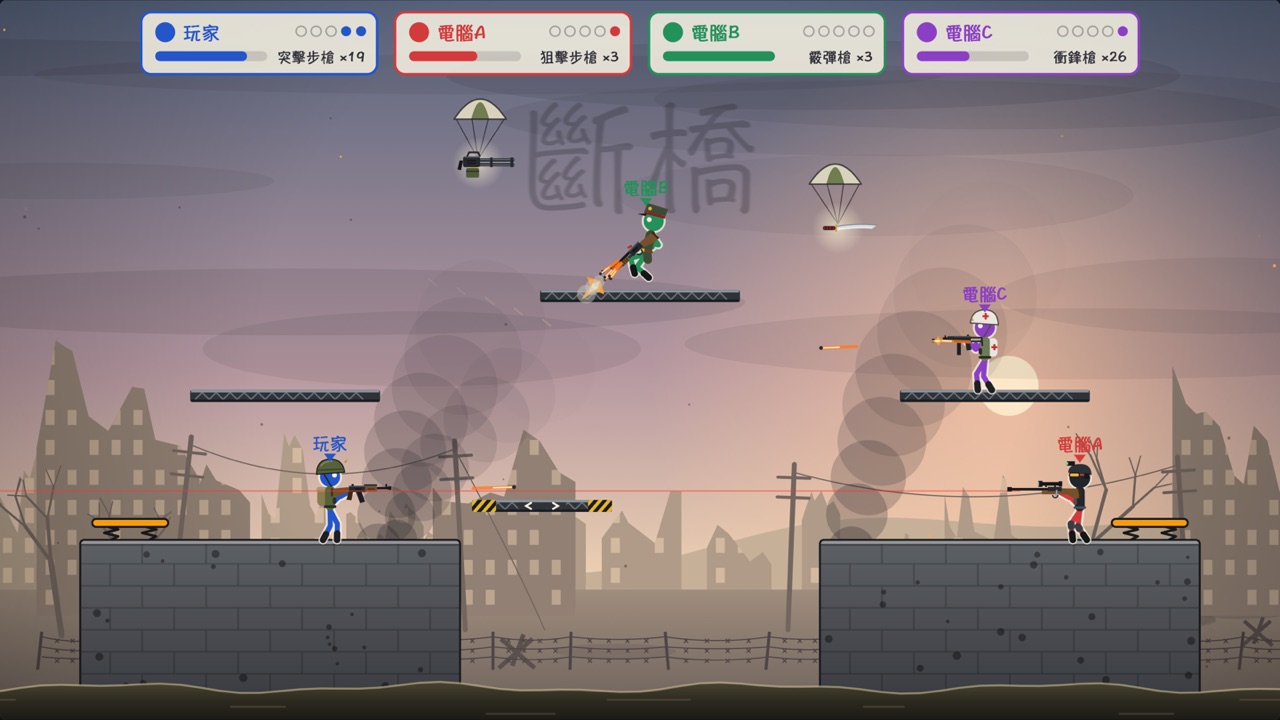
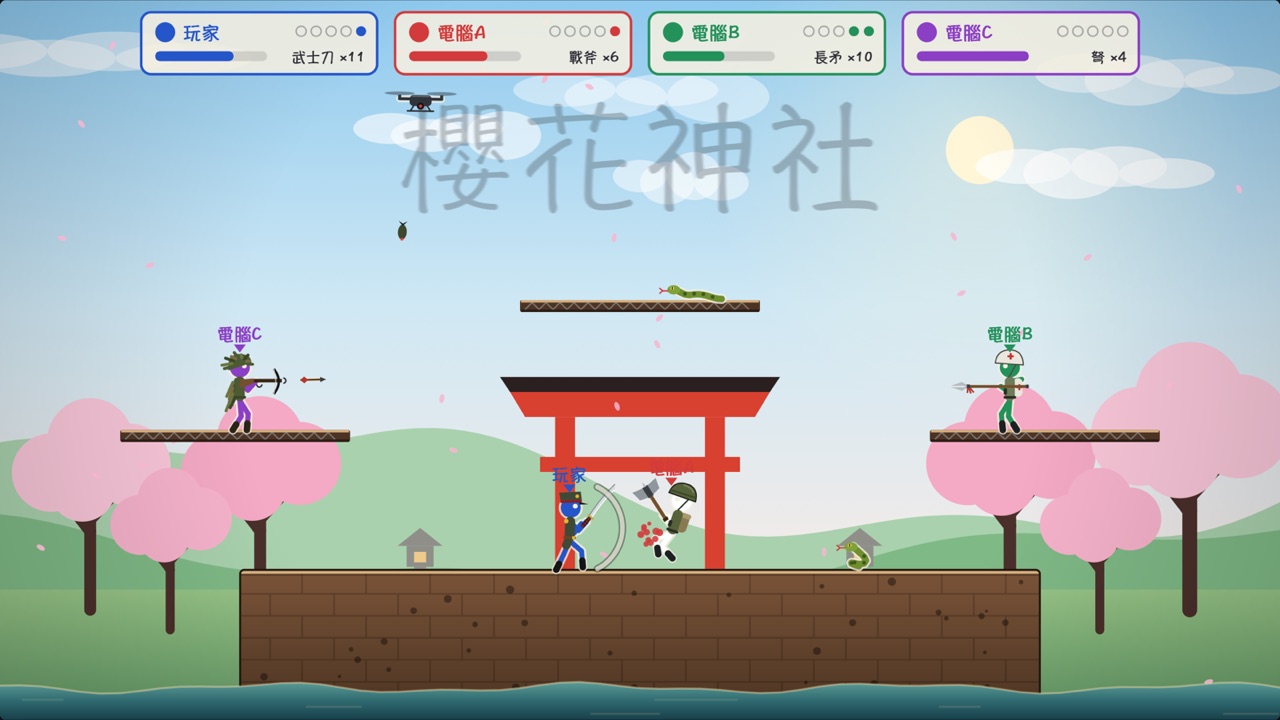
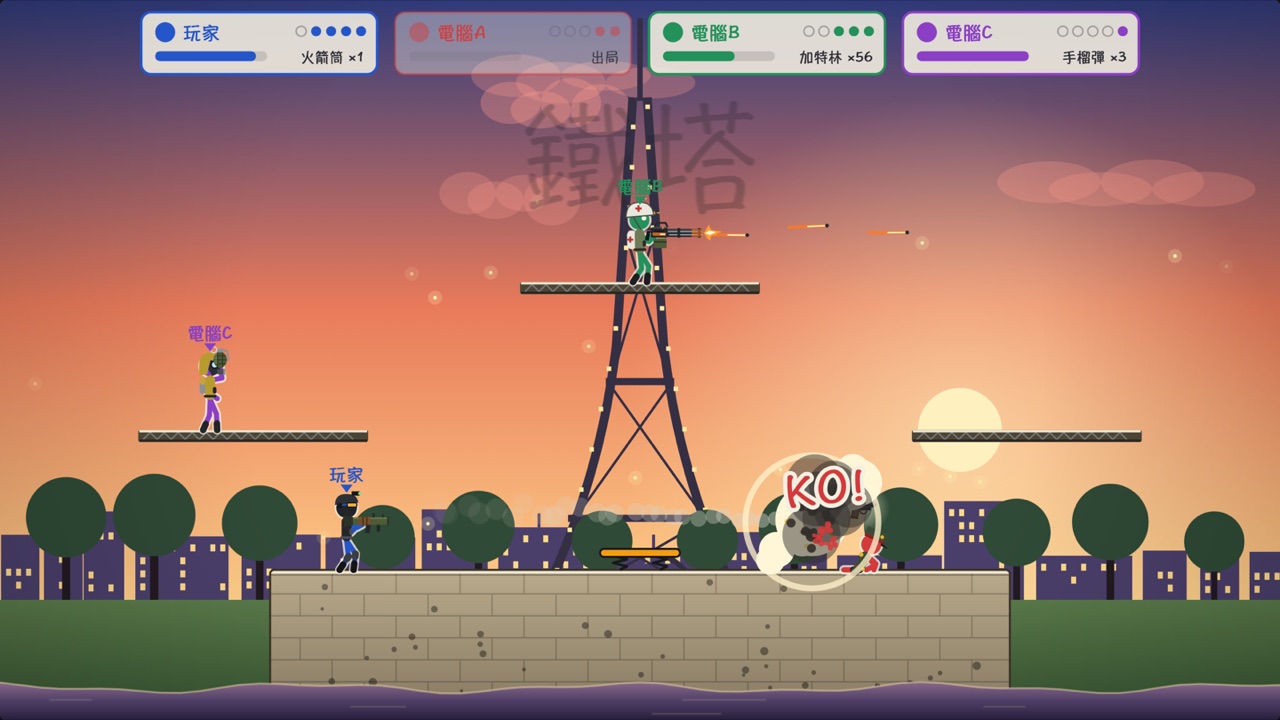
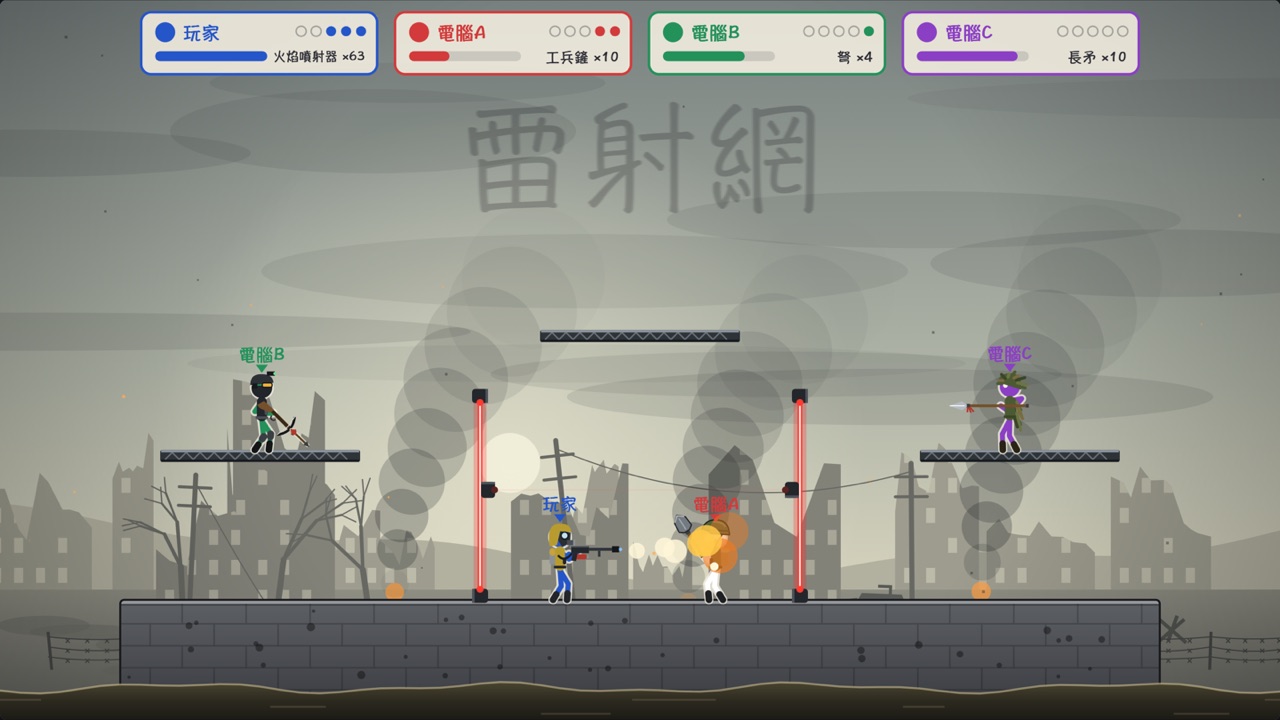
《墨水亂鬥》是一款節奏明快、全靠物理碰撞的火柴人亂鬥遊戲。最多四名鬥士落進一座小擂台,武器掛著降落傘從天而降,站到最後的人拿下這一局。血越少,挨一下就飛得越遠。
63 個場景
13 個戰場場景,加上 50 個以日本、韓國、德國、法國、英國為靈感的風景擂台:櫻花神社、霓虹小巷、童話城堡、巴黎屋頂、煤氣燈下的雨夜小巷……可以只玩其中一組,也可以全部洗牌。
17 種武器
手槍、霰彈槍、突擊步槍、衝鋒槍、狙擊步槍、輕機槍、加特林、火箭筒、弩、火焰噴射器、手榴彈、地雷、武士刀、長矛、戰斧、軍刀,還有可靠的工兵鏟。飄下來就撿,子彈打光了就把槍丟到對手頭上。
會還手的場地
移動平台、會塌的木板、彈簧、尖刺、電網和雷射網。蛇會從天上掉下來咬人,偶爾還有轟炸無人機光臨。
6 級電腦難度
從「新兵」到「菁英」。對上一到三個電腦對手,找到讓你手心冒汗的那一級。
打扮成你的樣子
7 套造型(步兵、特種兵、狙擊手、指揮官、醫護兵、防化兵和經典火柴人),10 種顏色。
想怎麼玩就怎麼玩
先贏 3、5、7 局,或是想打多久就打多久的無限局。在 Mac 上,兩個人可以共用一個鍵盤對戰,所有按鍵都能自訂。
音樂與音效
緊湊帶勁的戰鬥配樂和紮實的音效,可分別開關。
乾乾淨淨
沒有廣告,沒有內購,不需要連網,不收集任何資料。設定只保存在你的裝置上。
操作
iPhone 和 iPad:拖曳左側搖桿移動和瞄準,右側按鈕負責跳、攻擊、丟武器。
Mac:A/D 移動,W 跳,S 穿下平台,J 攻擊,K 丟武器。所有按鍵都可以在「選項」→「按鍵設定」裡更改。
Inkfray
Strichmännchen-Schlacht
63 Arenen, 17 Waffen, 6 CPU-Stufen, 7 Outfits in 10 Farben. Waffen fallen vom Himmel, das letzte Strichmännchen gewinnt. Keine Werbung, keine Käufe, kein Internet.
iPhone · iPad · Mac
Im App Store laden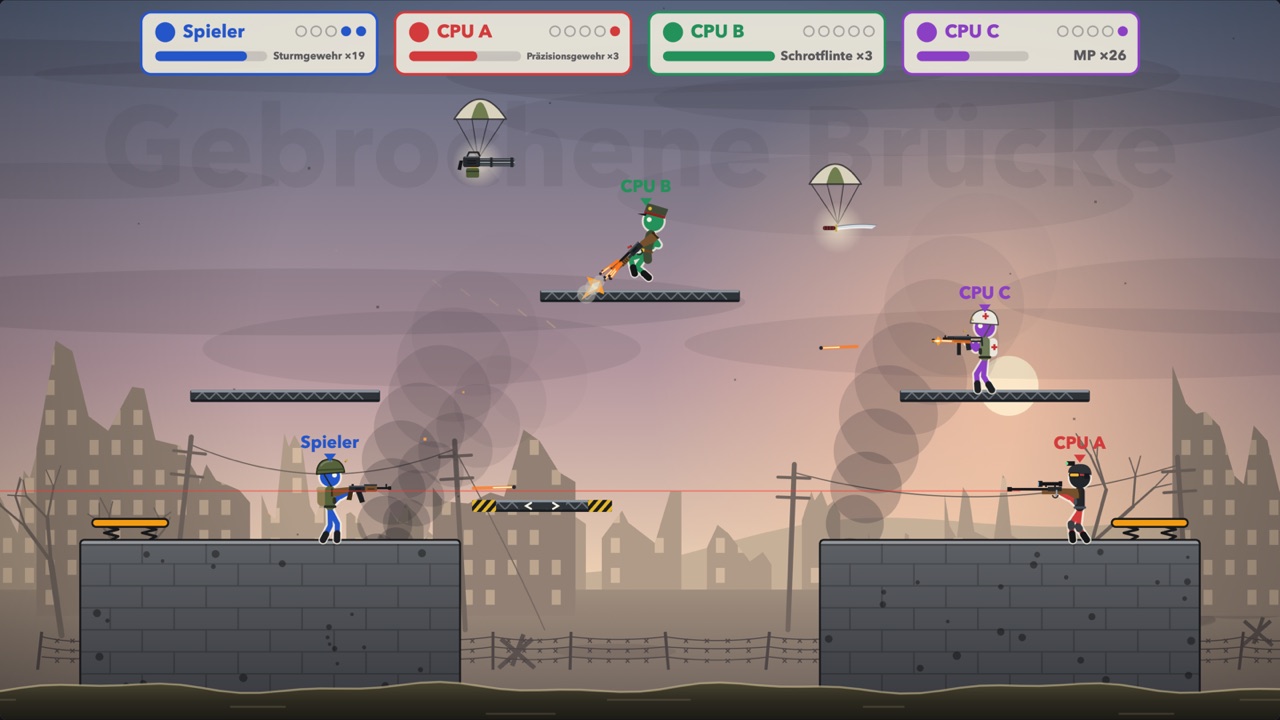
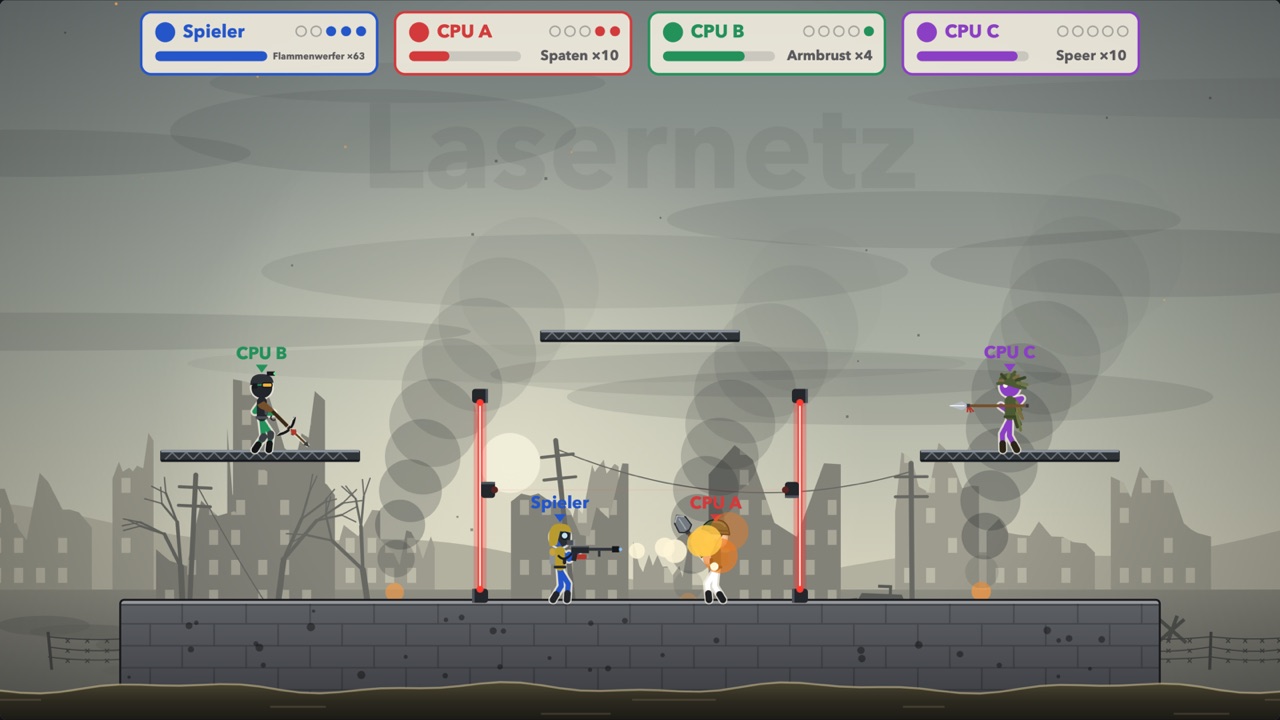
Inkfray ist eine schnelle, physikbasierte Strichmännchen-Prügelei. Bis zu vier Kämpfer landen in einer kleinen Arena, Waffen schweben am Fallschirm vom Himmel, und wer als Letzter steht, holt die Runde. Je weniger Leben du hast, desto weiter fliegst du bei jedem Treffer.
63 ARENEN
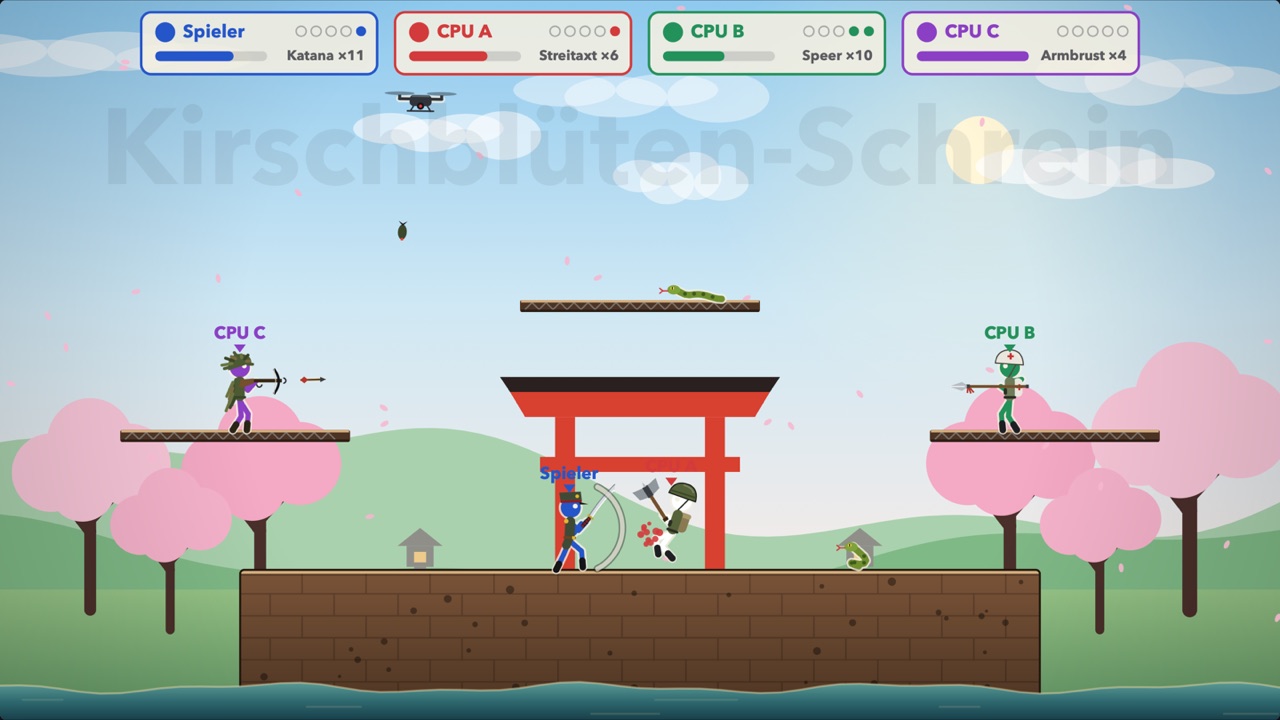
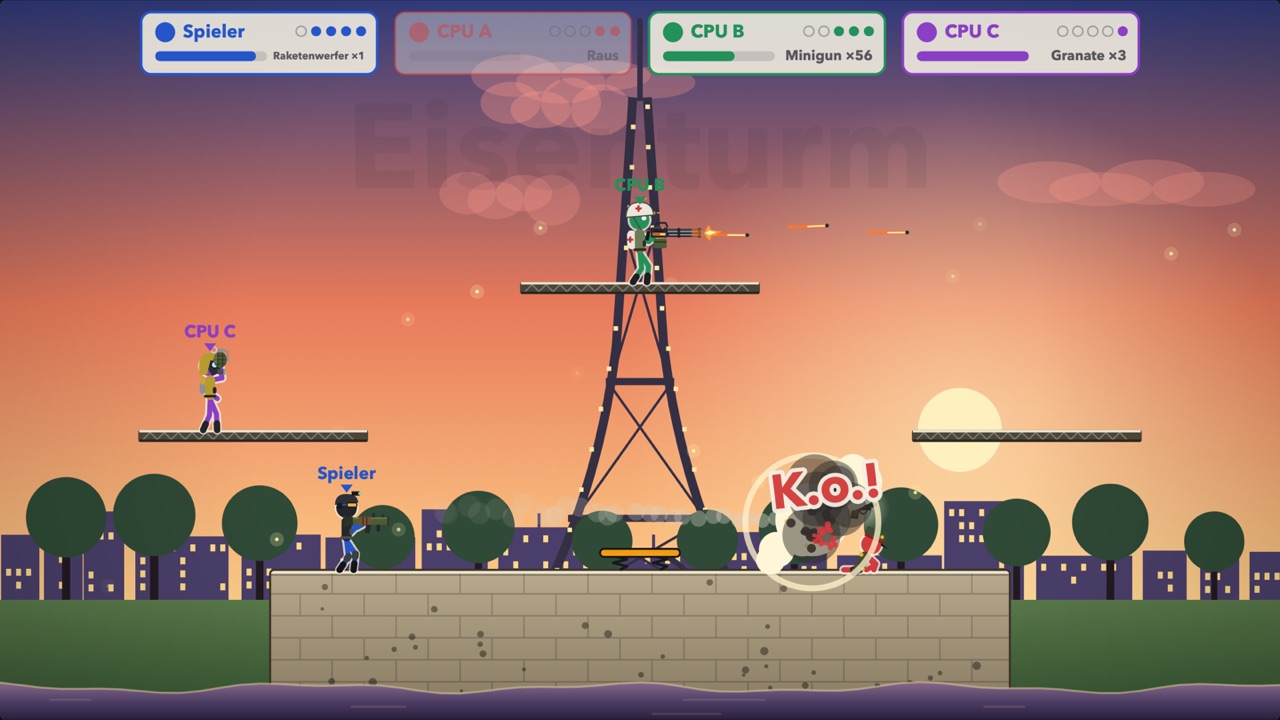
Dreizehn Schlachtfelder und fünfzig Schauplätze, inspiriert von Japan, Korea, Deutschland, Frankreich und Großbritannien: ein Kirschblüten-Schrein, eine Neongasse, ein Märchenschloss, die Dächer von Paris, eine verregnete Gasse im Laternenlicht und viele mehr. Spiele ein Set oder mische alle.
17 WAFFEN
Pistole, Schrotflinte, Sturmgewehr, MP, Präzisionsgewehr, Maschinengewehr, Minigun, Raketenwerfer, Armbrust, Flammenwerfer, Granaten, Minen, Katana, Speer, Streitaxt, Messer und ein treuer Spaten. Schnapp sie dir, sobald sie landen, oder wirf dem Gegner die leere Waffe an den Kopf.
ARENEN, DIE SICH WEHREN
Bewegliche Plattformen, morsche Planken, Sprungfedern, Stacheln, Elektrozäune und Lasernetze. Schlangen fallen vom Himmel und beißen zu, und ab und zu schaut eine Bomberdrohne vorbei.
6 CPU-STUFEN
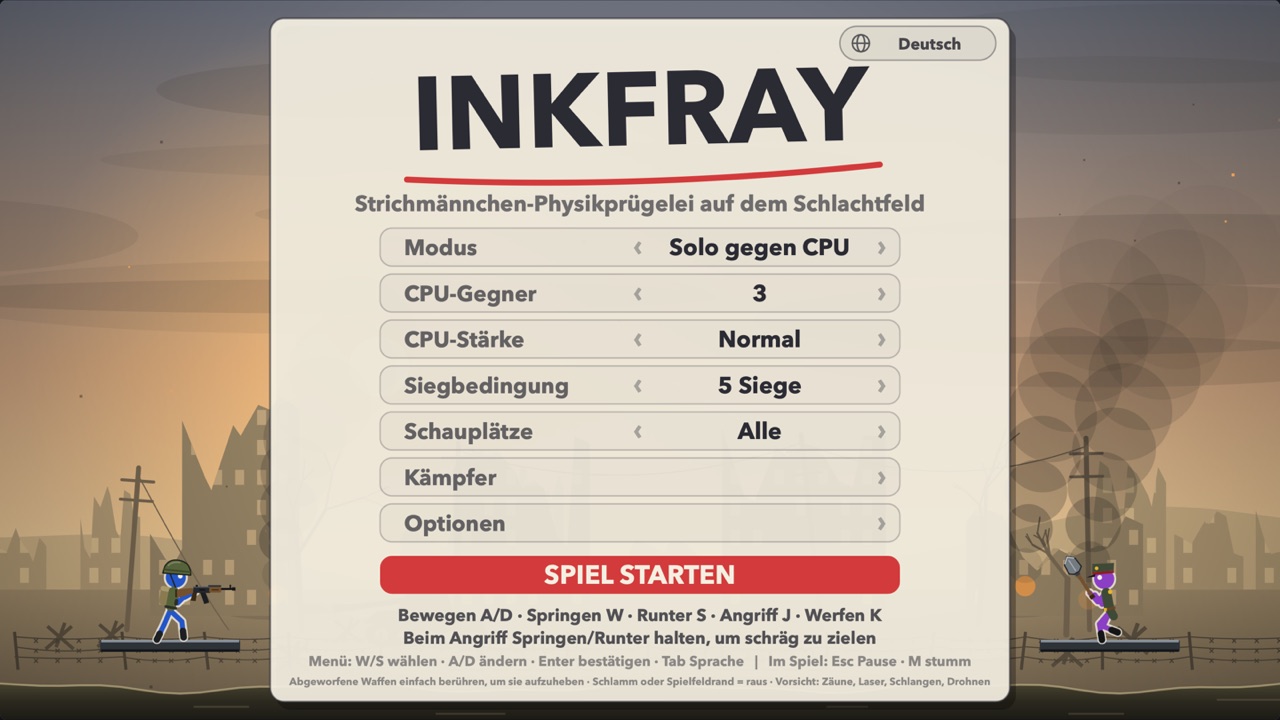
Vom Rekruten bis zur Elite. Tritt gegen einen bis drei Computergegner an und finde die Stufe, die dich ins Schwitzen bringt.
DEIN LOOK
Sieben Outfits (Infanterist, Kommando, Scharfschütze, Offizier, Sanitäter, ABC-Abwehr und das klassische Strichmännchen) in zehn Farben.
SPIEL, WIE DU WILLST
3, 5 oder 7 Siege – oder ein Endlos-Match, das so lange läuft, wie du magst. Am Mac teilen sich zwei Spieler eine Tastatur, und jede Taste lässt sich neu belegen.
MUSIK UND SOUND
Ein treibender Kampf-Soundtrack und knackige Effekte, getrennt ein- und ausschaltbar.
SAUBER
Keine Werbung. Keine In-App-Käufe. Keine Internetverbindung nötig. Keine Datenerfassung. Deine Einstellungen bleiben auf deinem Gerät.
STEUERUNG
iPhone und iPad: Mit dem Stick links bewegen und zielen; die Tasten rechts springen, greifen an und werfen.
Mac: A/D bewegen, W springen, S durch Plattformen fallen, J angreifen, K werfen. Alle Tasten lassen sich unter Optionen > Steuerung ändern.
Inkfray
Baston de bonshommes bâtons
63 arènes, 17 armes, 6 niveaux d’IA, 7 tenues en 10 couleurs. Les armes tombent du ciel et le dernier bonhomme debout gagne. Sans pub, sans achats, sans connexion.
iPhone · iPad · Mac
Télécharger dans l’App Store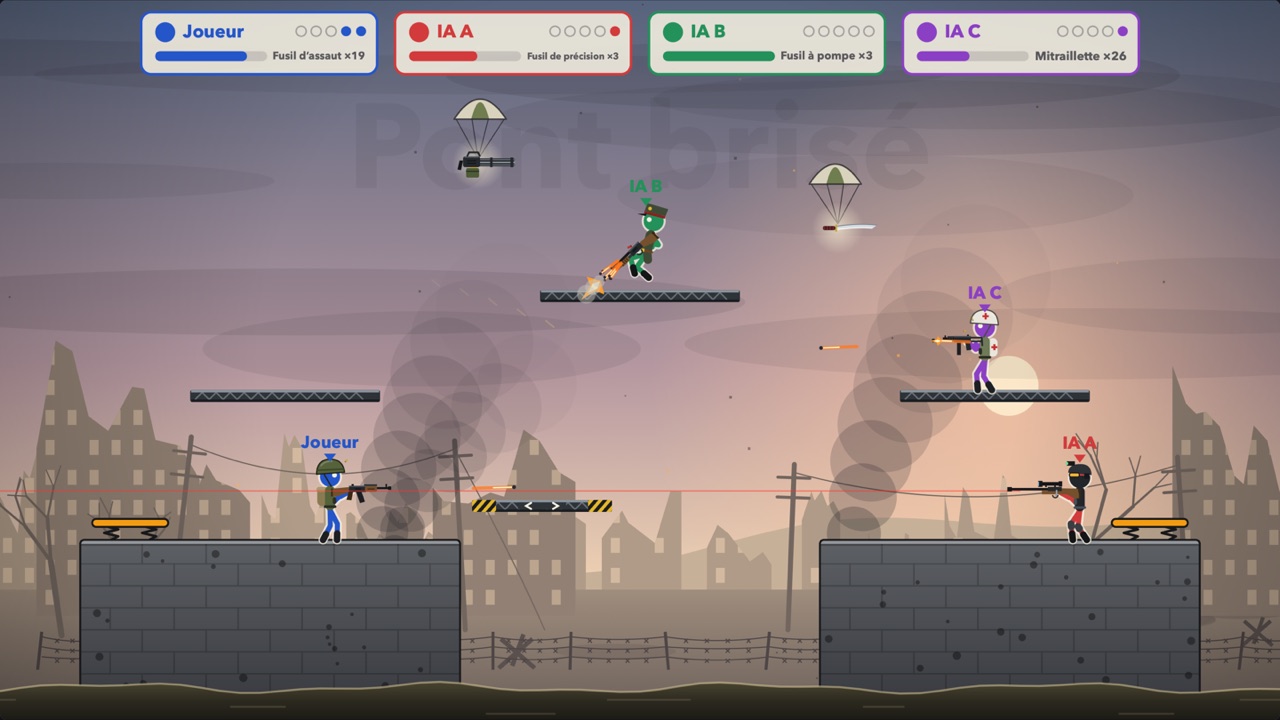
Inkfray est un jeu de baston rapide entre bonshommes bâtons, entièrement régi par la physique. Jusqu’à quatre combattants atterrissent dans une petite arène, les armes descendent du ciel en parachute, et le dernier debout remporte la manche. Moins vous avez de vie, plus chaque coup vous envoie loin.
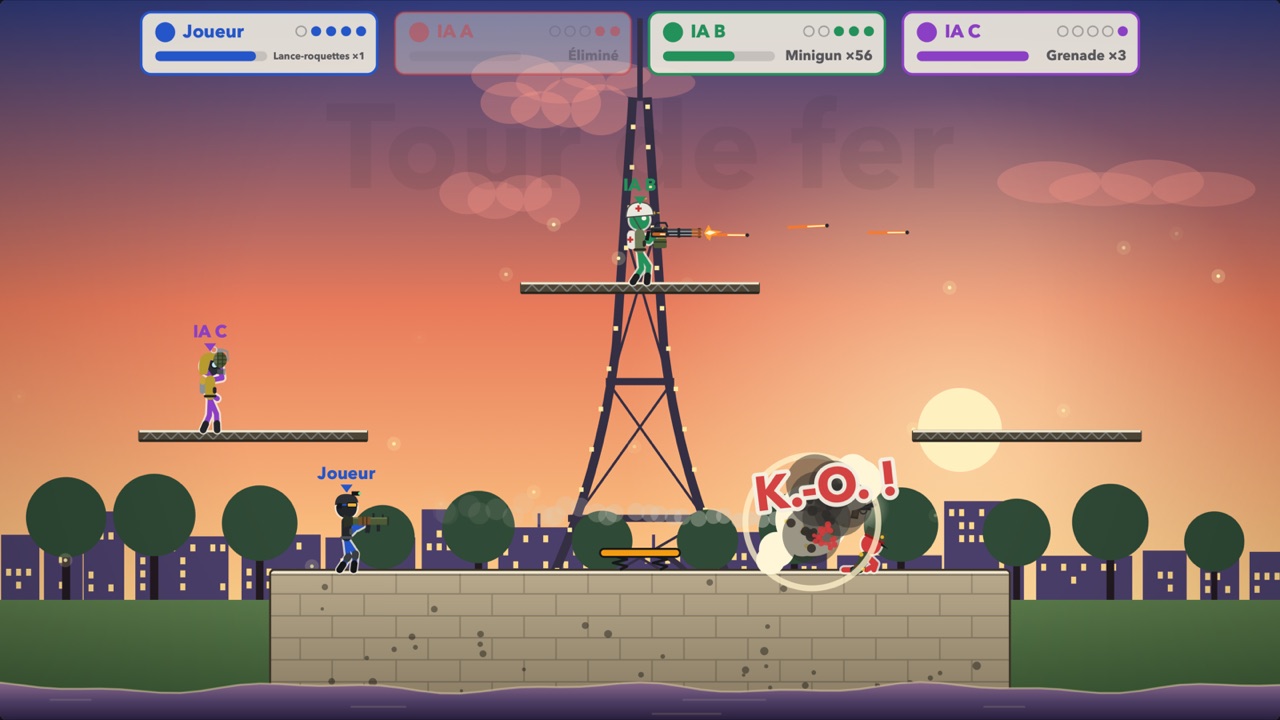
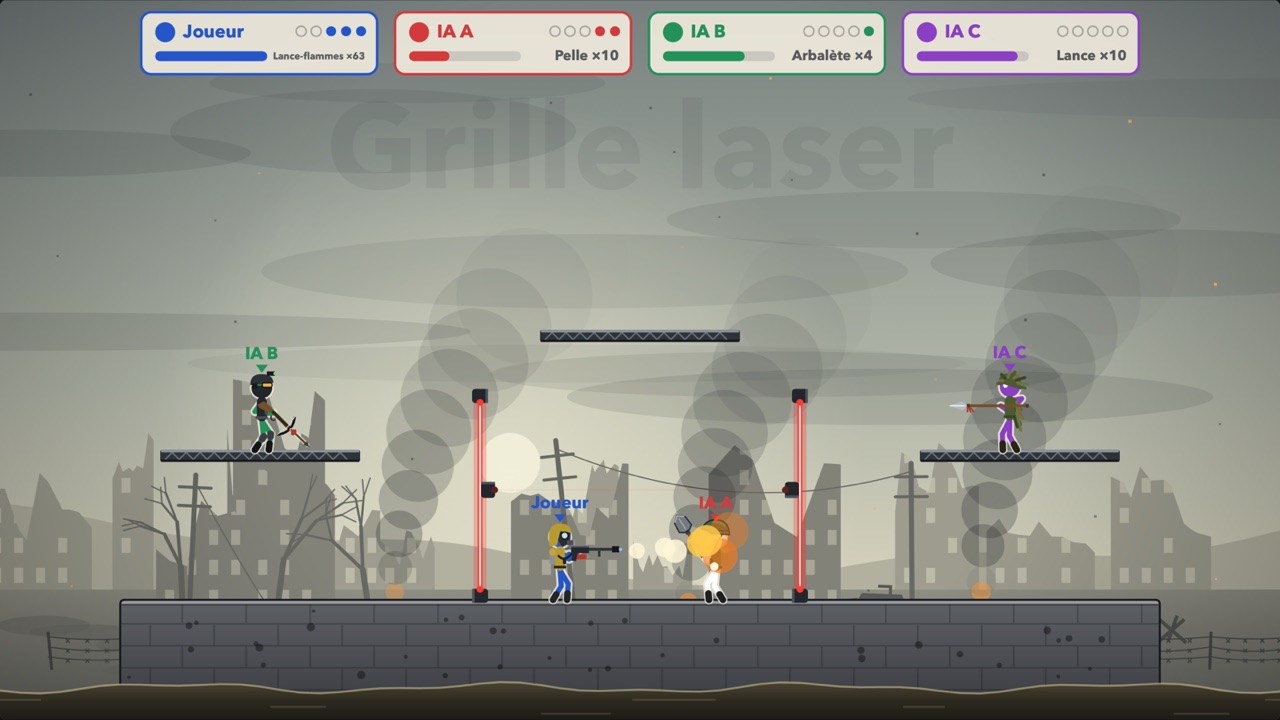
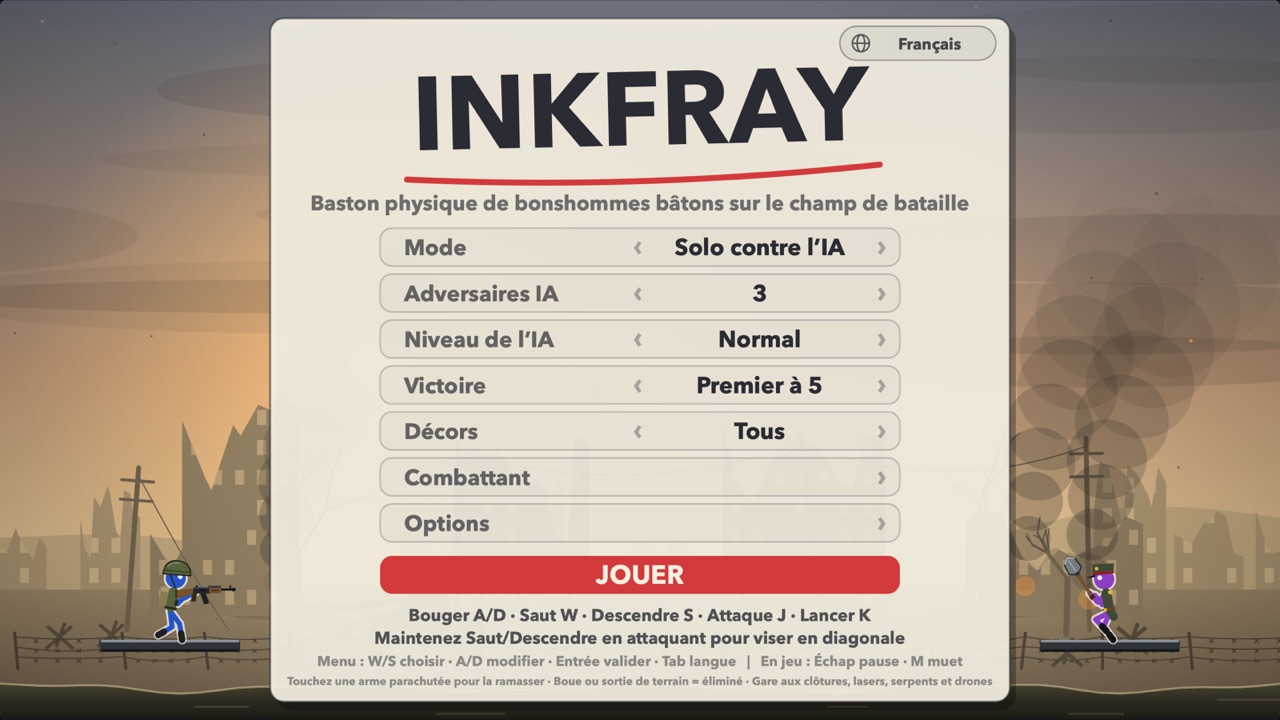
63 ARÈNES
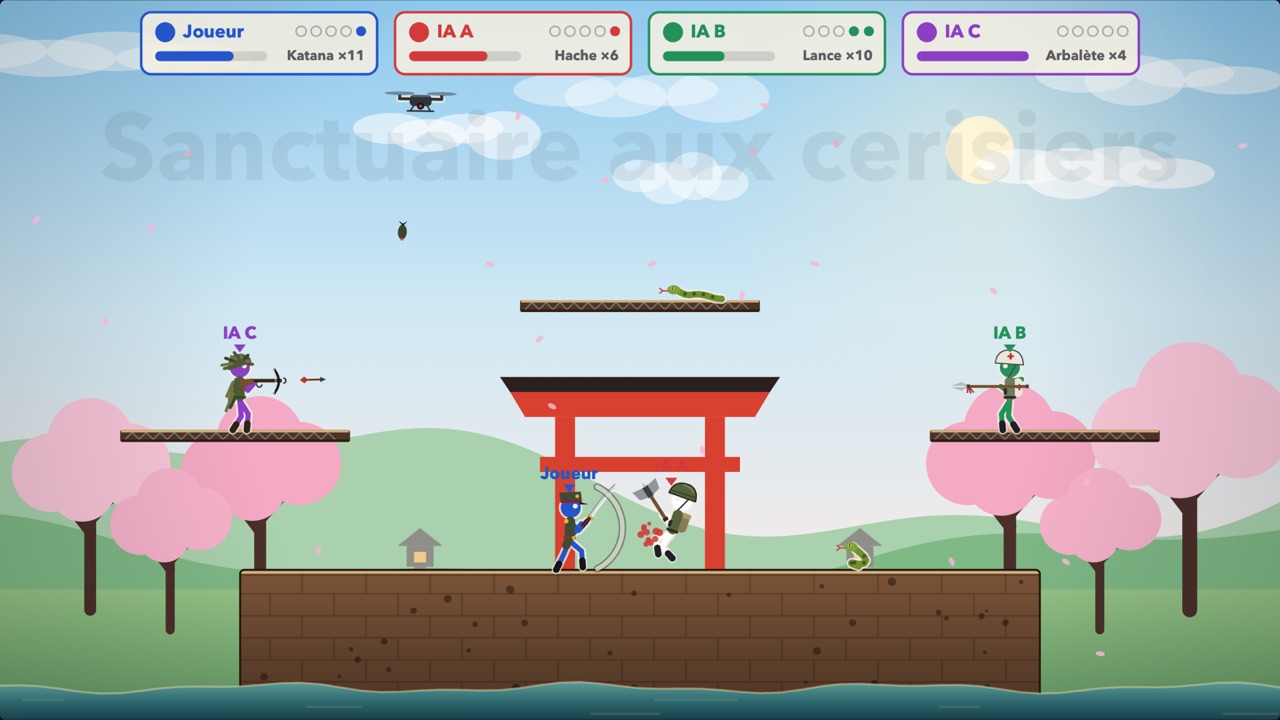
Treize champs de bataille et cinquante décors inspirés du Japon, de la Corée, de l’Allemagne, de la France et du Royaume-Uni : un sanctuaire sous les cerisiers, une ruelle néon, un château de conte, les toits de Paris, une ruelle sous la pluie à la lueur des réverbères et bien d’autres. Jouez une série ou mélangez tout.
17 ARMES
Pistolet, fusil à pompe, fusil d’assaut, mitraillette, fusil de précision, mitrailleuse, minigun, lance-roquettes, arbalète, lance-flammes, grenades, mines, katana, lance, hache, couteau et une fidèle pelle. Attrapez-les dès qu’elles se posent, ou jetez votre arme vide à la tête de l’adversaire.
DES ARÈNES QUI RÉPLIQUENT
Plateformes mobiles, planches pourries, ressorts, pics, clôtures électriques et grilles laser. Des serpents tombent du ciel pour mordre, et un drone bombardier passe de temps en temps.
6 NIVEAUX D’IA
De Bleusaille à Élite. Affrontez un à trois adversaires contrôlés par l’ordinateur et trouvez le niveau qui vous fait transpirer.
À VOTRE IMAGE
Sept tenues (fantassin, commando, tireur d’élite, officier, infirmier, NRBC et le bonhomme classique) en dix couleurs.
JOUEZ COMME VOUS VOULEZ
Premier à 3, 5 ou 7 manches, ou un match sans fin qui dure aussi longtemps que vous le souhaitez. Sur Mac, deux joueurs peuvent partager un clavier, et chaque touche est reconfigurable.
MUSIQUE ET SONS
Une musique de combat entraînante et des effets percutants, activables séparément.
PROPRE
Pas de publicité. Pas d’achats intégrés. Pas besoin de connexion Internet. Aucune donnée collectée. Vos réglages restent sur votre appareil.
COMMANDES
iPhone et iPad : faites glisser le stick à gauche pour bouger et viser ; les boutons à droite servent à sauter, attaquer et lancer.
Mac : A/D pour bouger, W pour sauter, S pour descendre des plateformes, J pour attaquer, K pour lancer. Toutes les touches se modifient dans Options > Commandes.
Inkfray
Pelea de monigotes con físicas
63 escenarios, 17 armas, 6 niveles de CPU, 7 aspectos en 10 colores. Las armas caen del cielo y gana el último monigote en pie. Sin anuncios, sin compras y sin conexión.
iPhone · iPad · Mac
Descargar en el App Store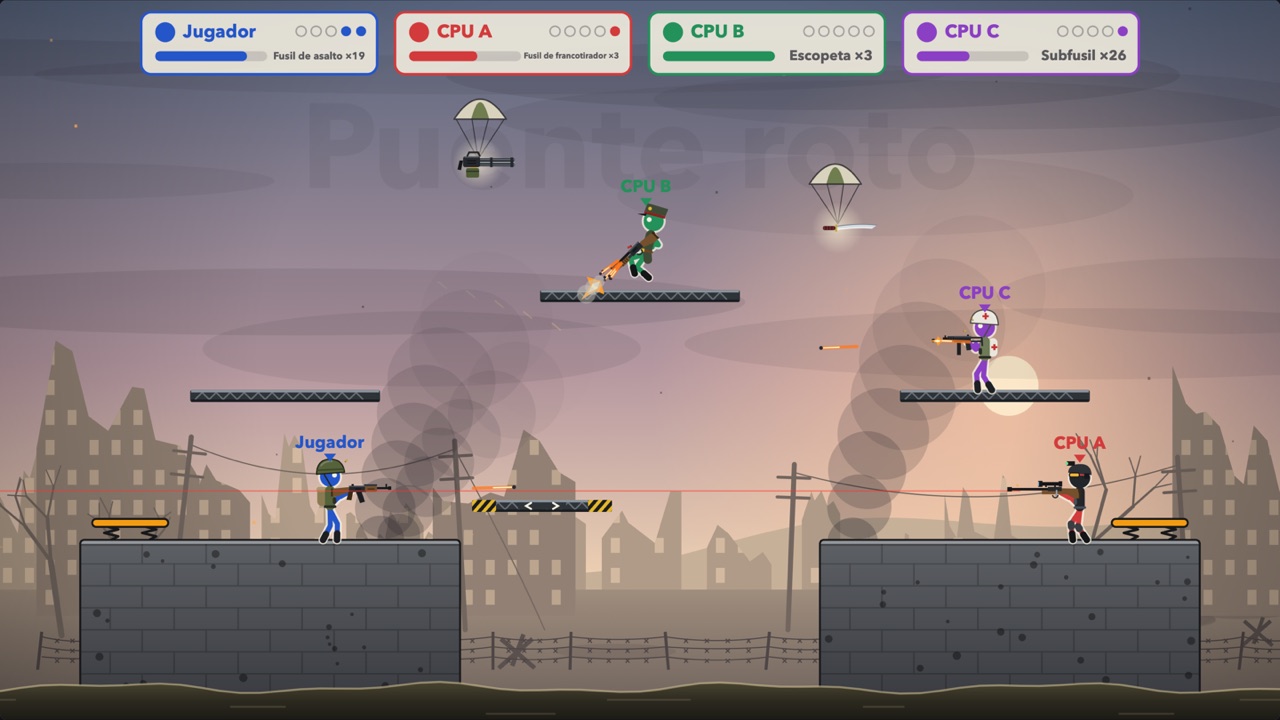
Inkfray es un juego de peleas rápido entre monigotes, movido por la física. Hasta cuatro luchadores caen en un escenario pequeño, las armas bajan del cielo en paracaídas y el último en pie se lleva la ronda. Cuanta menos vida te queda, más lejos te manda cada golpe.
63 ESCENARIOS
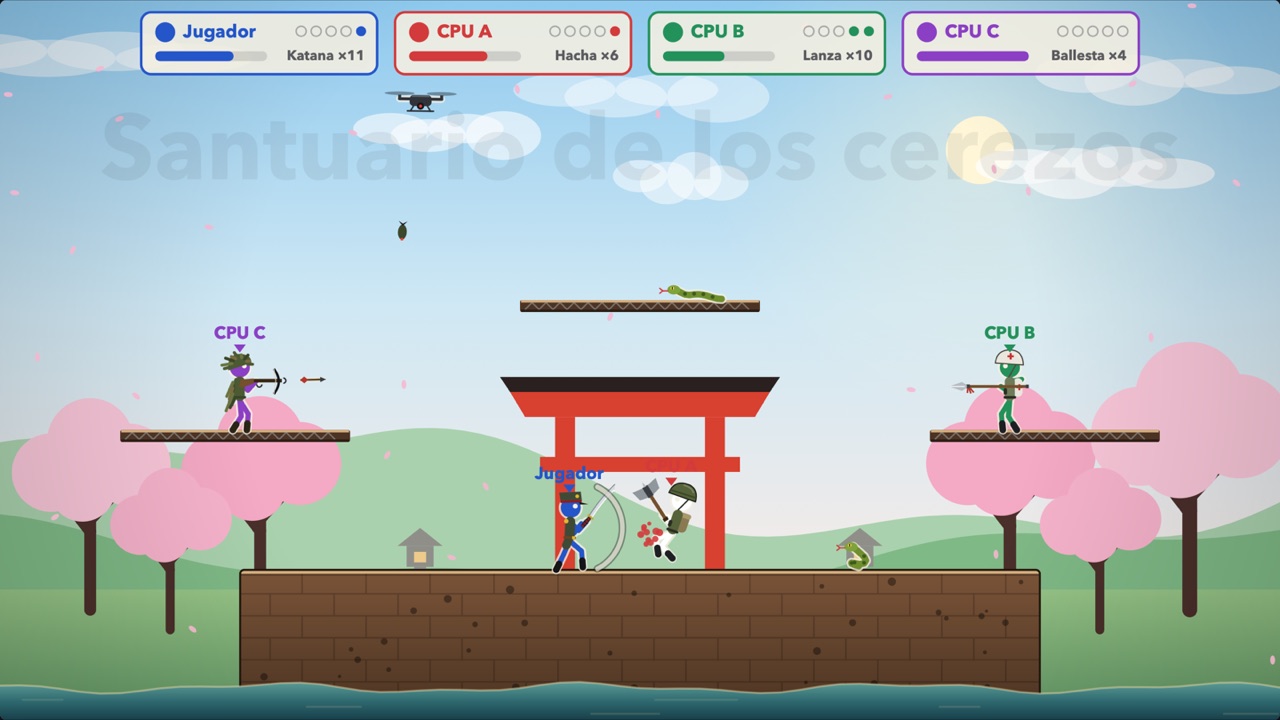
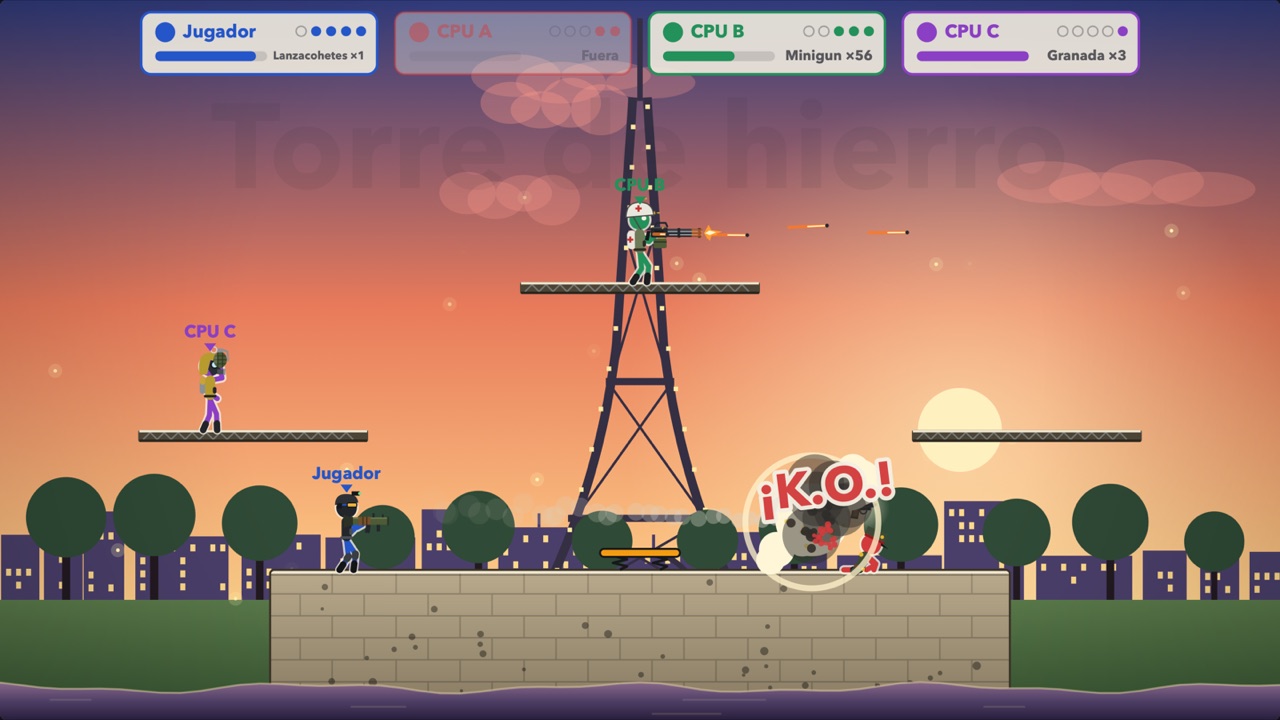
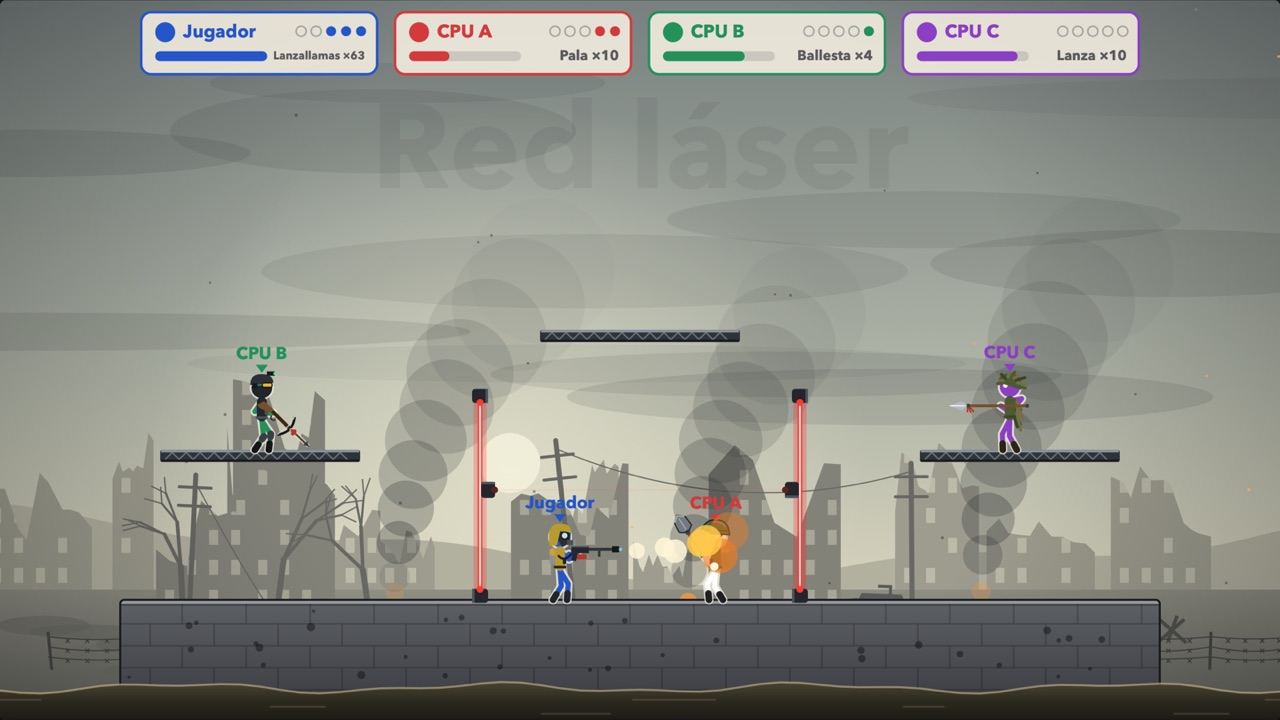
Trece campos de batalla y cincuenta escenarios inspirados en Japón, Corea, Alemania, Francia y el Reino Unido: un santuario entre cerezos, un callejón de neón, un castillo de cuento, los tejados de París, un callejón lluvioso a la luz de las farolas y muchos más. Juega una serie o mézclalos todos.
17 ARMAS
Pistola, escopeta, fusil de asalto, subfusil, fusil de francotirador, ametralladora, minigun, lanzacohetes, ballesta, lanzallamas, granadas, minas, katana, lanza, hacha, cuchillo y una pala de confianza. Cógelas en cuanto aterricen, o lánzale el arma vacía a la cabeza a tu rival.
ESCENARIOS QUE SE DEFIENDEN
Plataformas móviles, tablones podridos, muelles, pinchos, vallas eléctricas y redes láser. Caen serpientes que muerden y, de vez en cuando, aparece un dron bombardero.
6 NIVELES DE CPU
De Recluta a Élite. Enfréntate a entre uno y tres rivales controlados por la máquina y encuentra el nivel que te haga sudar.
A TU GUSTO
Siete aspectos (infantería, comando, francotirador, oficial, médico, NBQ y el monigote clásico) en diez colores.
JUEGA A TU MANERA
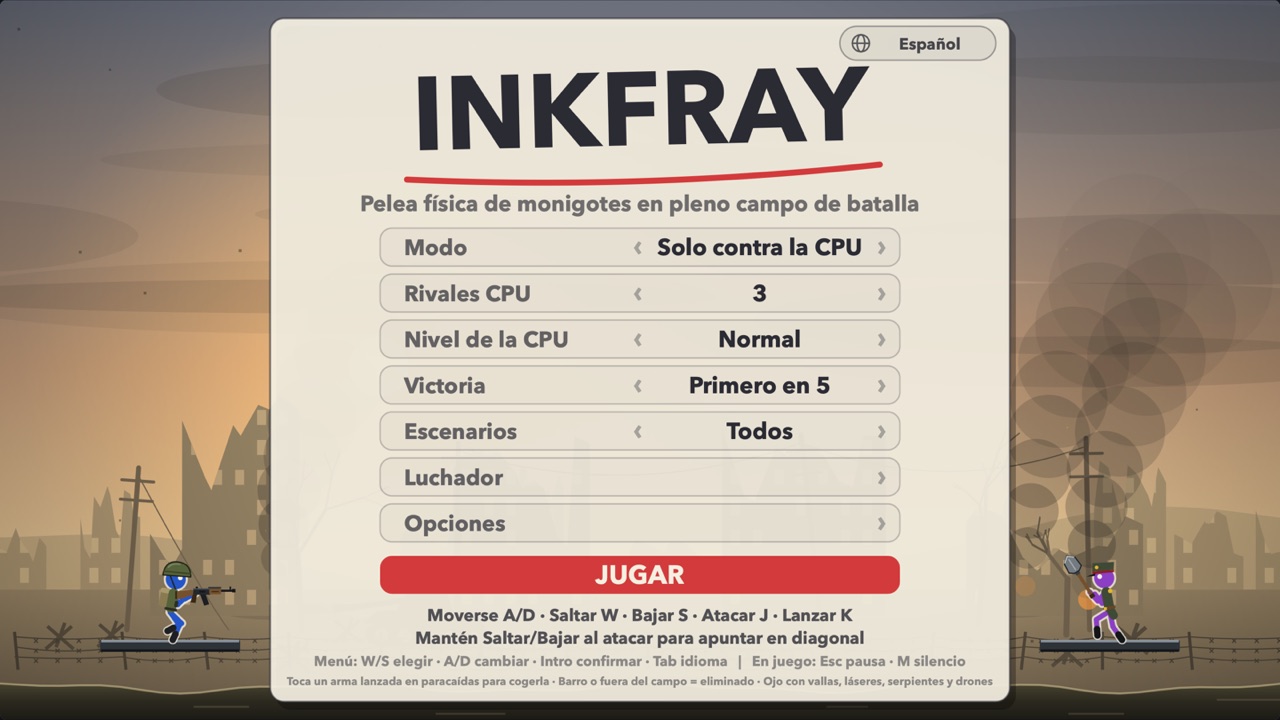
Al mejor de 3, 5 o 7 rondas, o una partida sin fin que dura todo lo que quieras. En Mac, dos jugadores pueden compartir un teclado y todas las teclas se pueden reasignar.
MÚSICA Y SONIDO
Una banda sonora de combate trepidante y efectos contundentes, con interruptores separados.
LIMPIO
Sin anuncios. Sin compras dentro de la app. Sin conexión a Internet. Sin recopilación de datos. Tus ajustes se quedan en tu dispositivo.
CONTROLES
iPhone y iPad: arrastra el stick de la izquierda para moverte y apuntar; los botones de la derecha saltan, atacan y lanzan.
Mac: A/D para moverte, W para saltar, S para bajar de las plataformas, J para atacar y K para lanzar. Todas las teclas se cambian en Opciones > Controles.